
Course Booking System
Built for workshops, multi-week courses, training and seminars
Start taking bookings within hours.
Replace spreadsheets, manual sign-up sheets and chasing payments by email with one tool that handles enrollments, attendance, payments and comms - built around how course providers actually run sessions.
4.9 ★ on Capterra900,000+ bookings processed$50M+ collected for organizers
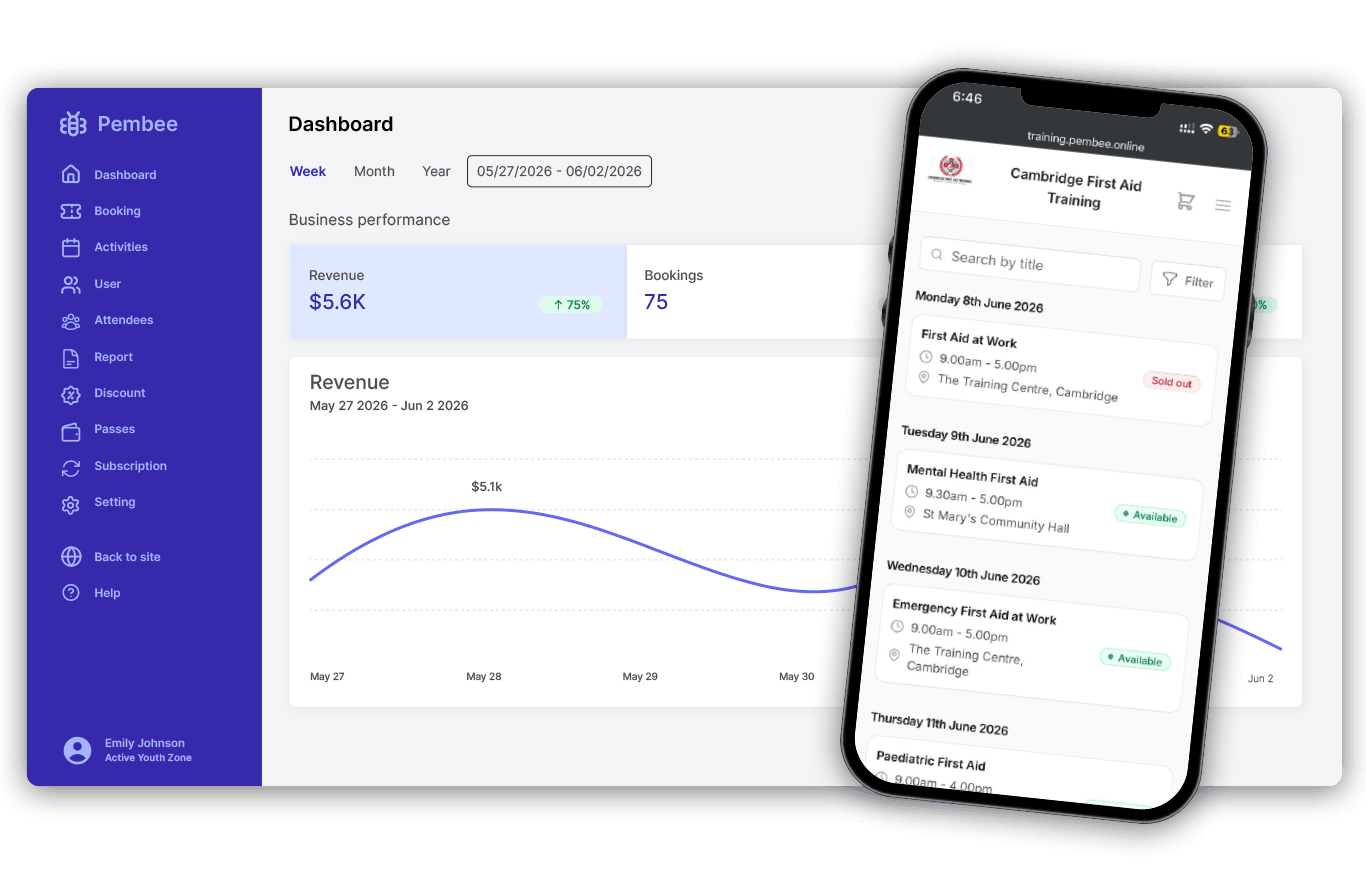
Trusted by course providers of every kind








Go live in hours
Most organizers we onboard are taking real bookings the same day they sign up. Here's the full flow.
- 1
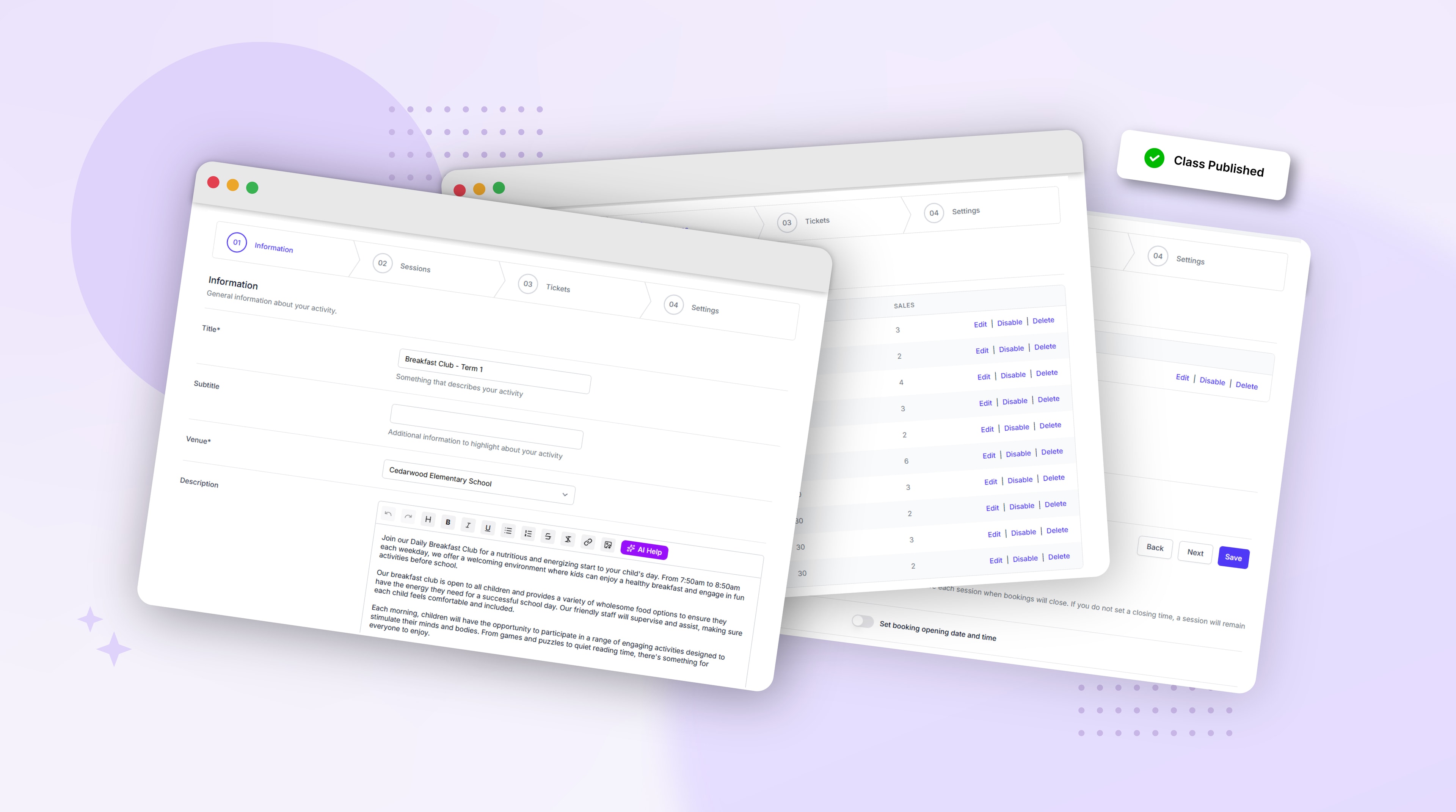
Set up your courses
Add your course schedule, session dates, ticket types and pricing. Set capacity, prerequisites and any waivers, registration questions or consent forms you need.
- 2
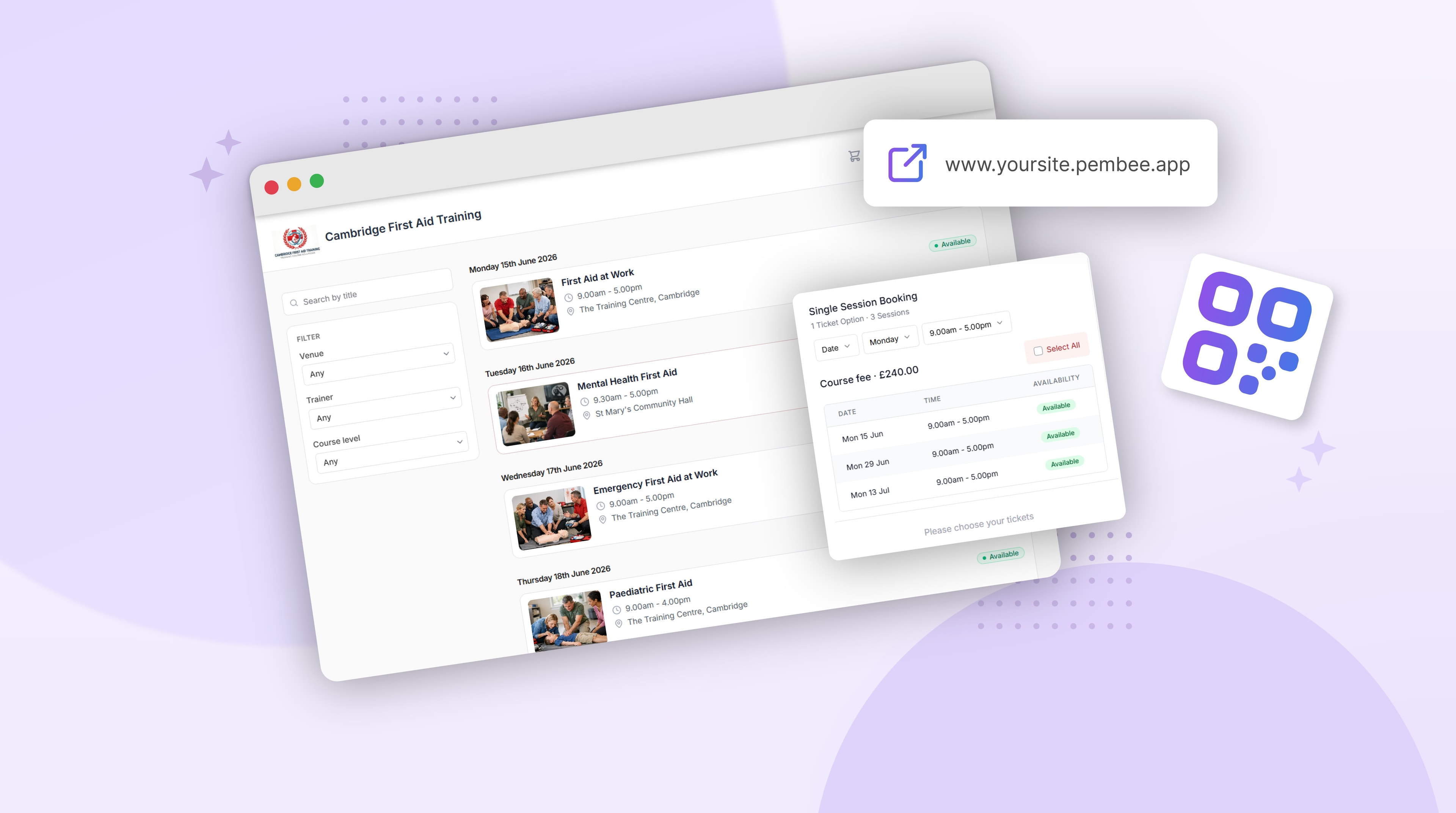
Share your booking page
Pembee gives you a hosted booking page out of the box. Drop the link in your website, email signature, LinkedIn, ad campaigns or QR codes on printed materials.
- 3
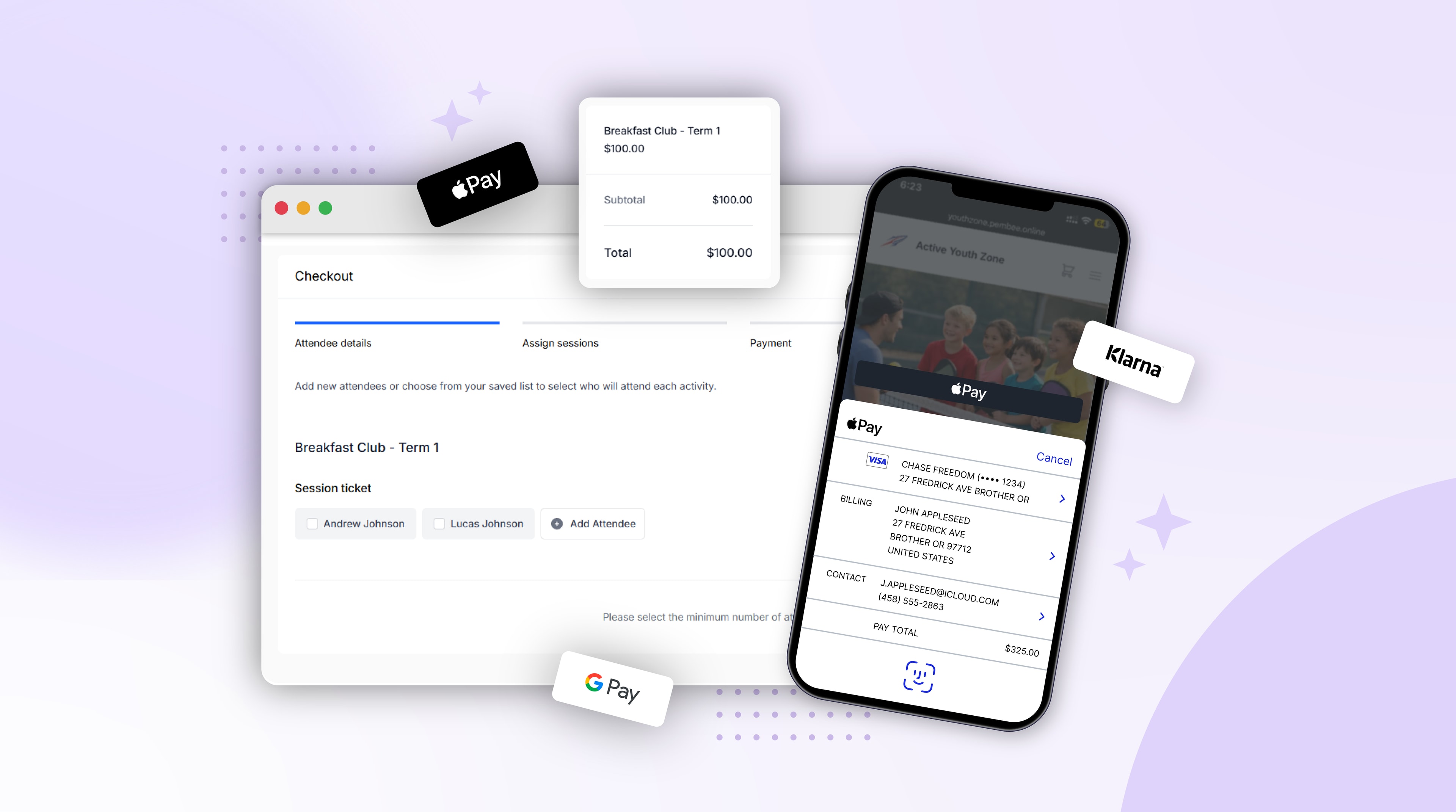
Participants enroll and pay
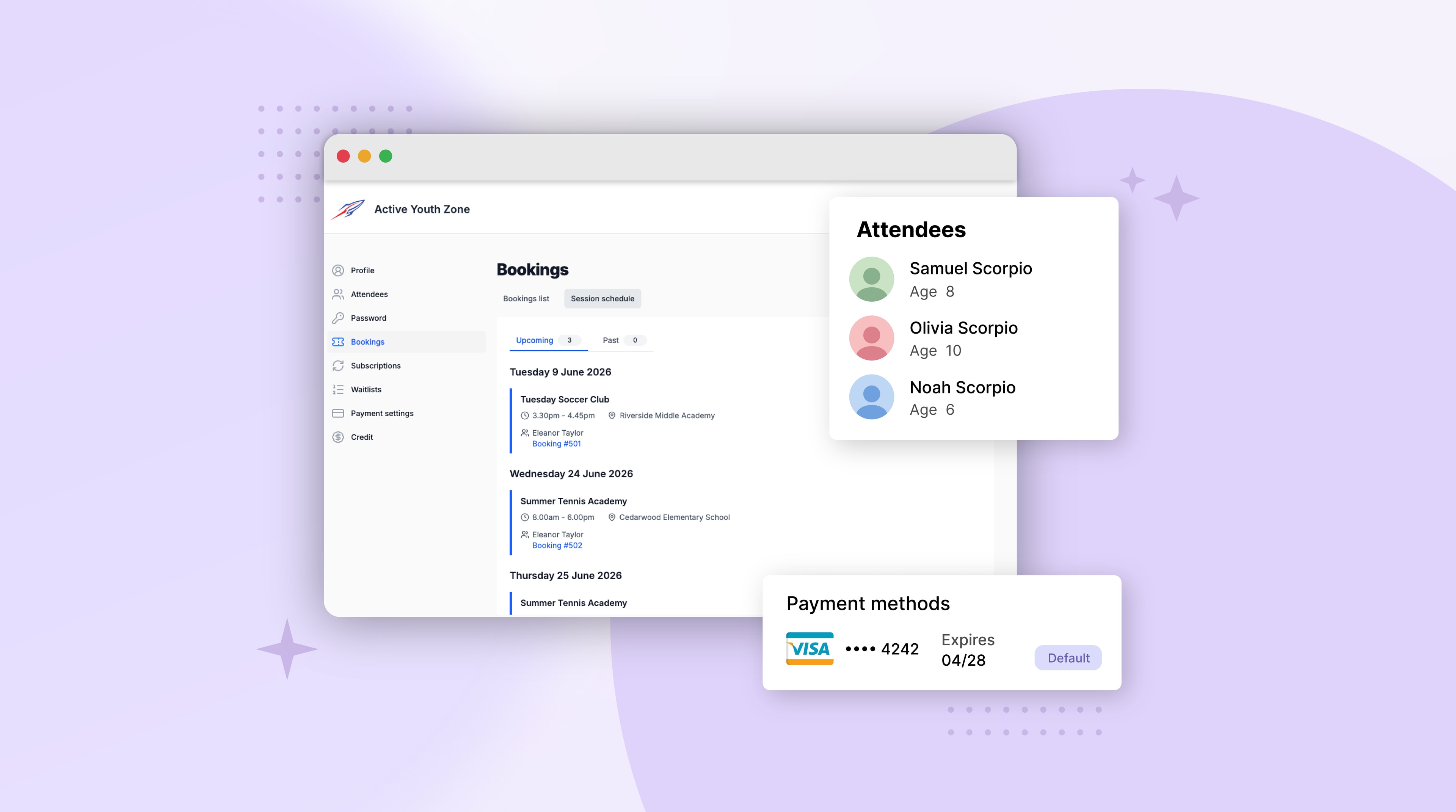
Participants enroll for one course or multiple, fill in your custom registration form, and pay by card, Apple Pay, Google Pay or Klarna. They manage their own enrollments from a self-service portal - so a lot of inbox admin never lands with you.
- 4
Run your sessions
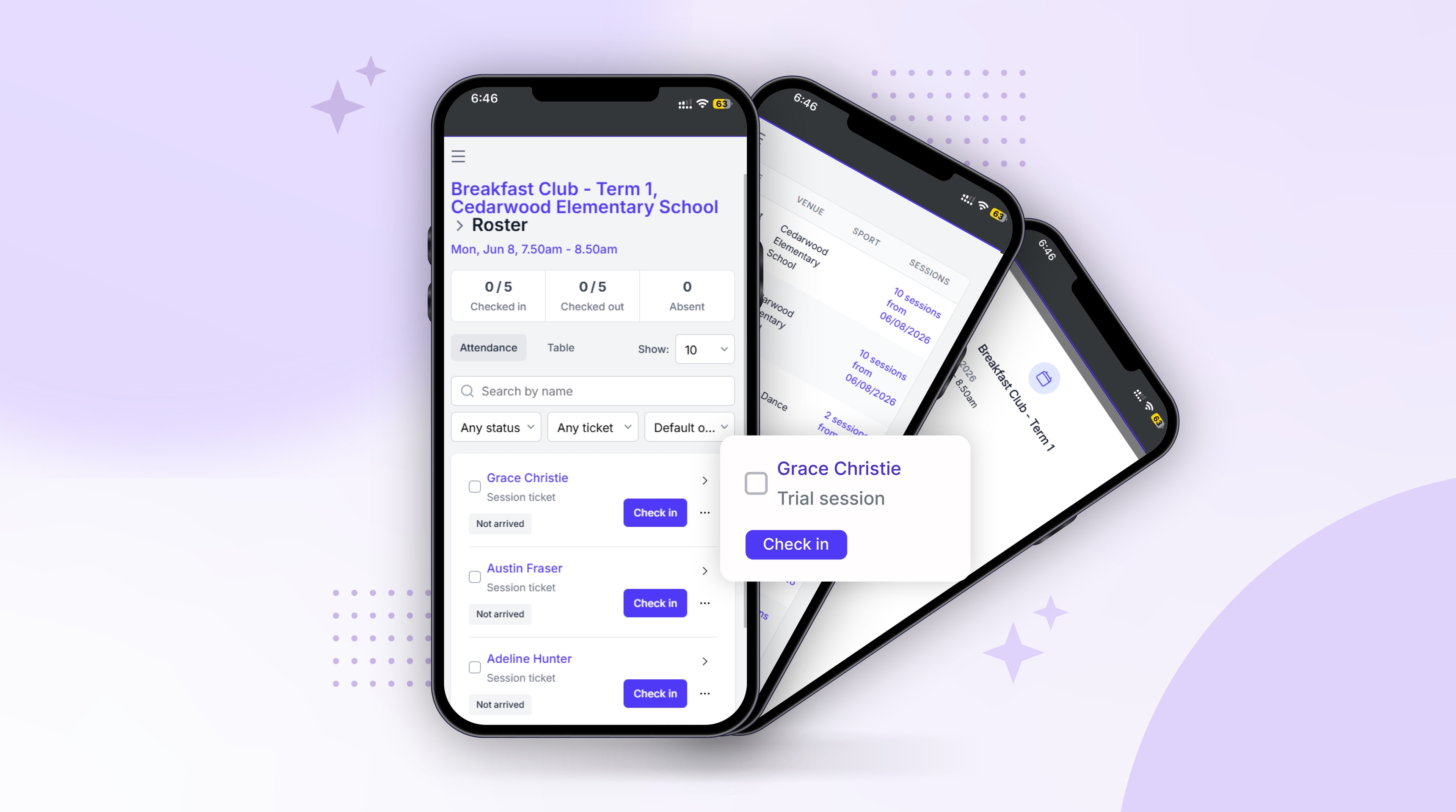
Take attendance from your phone or tablet, flag no-shows, and see who's signed up to each session of the course.
- 5
Get paid without chasing
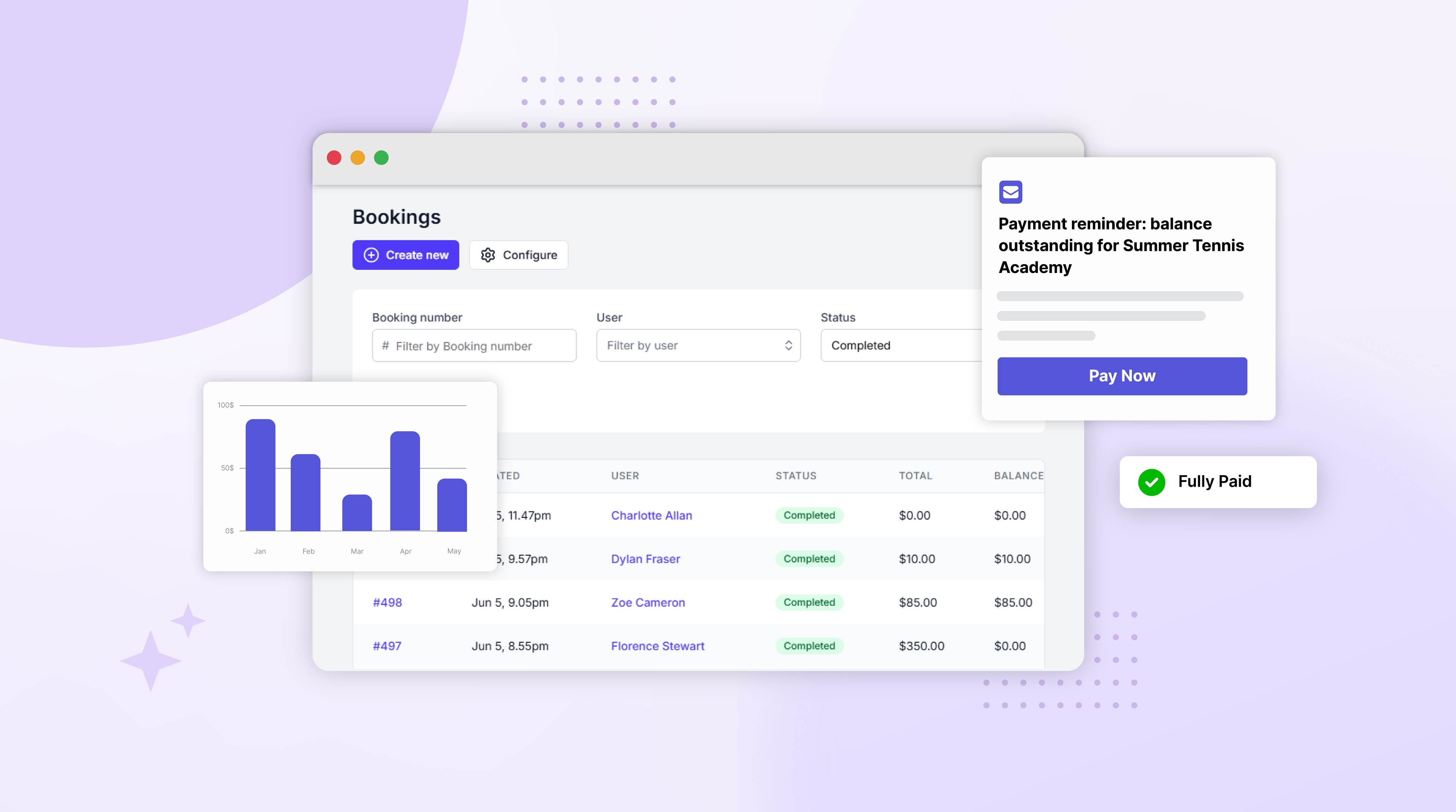
Automated reminders for outstanding balances, installment plans that retry failed payments, and a clear picture of revenue per course.
Ready to take your first booking today?
Set up in 10 minutes. No credit card needed.
Built around how courses actually run
- Sell single seats, multi-session courses or session passes
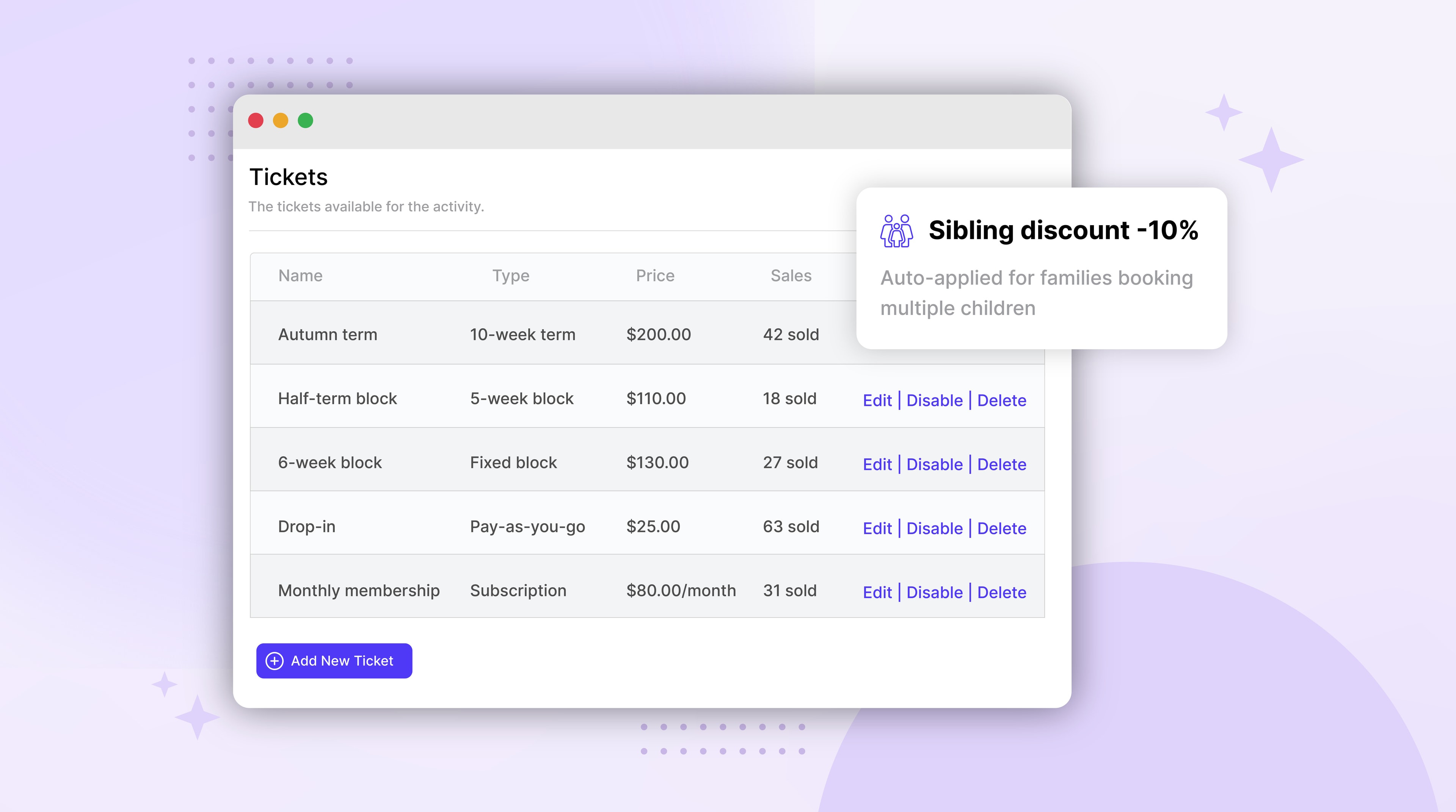
- Sell a single seat, a multi-week course, an early-bird ticket, a session pass or a monthly subscription. Upsell training materials or workbooks as add-ons. Pro-rated mid-course joining, group discounts and discount codes all built in. Card payments via Stripe plus cash and bank-transfer reconciliation in the same dashboard.
- Custom registration forms with waivers and prerequisites built in
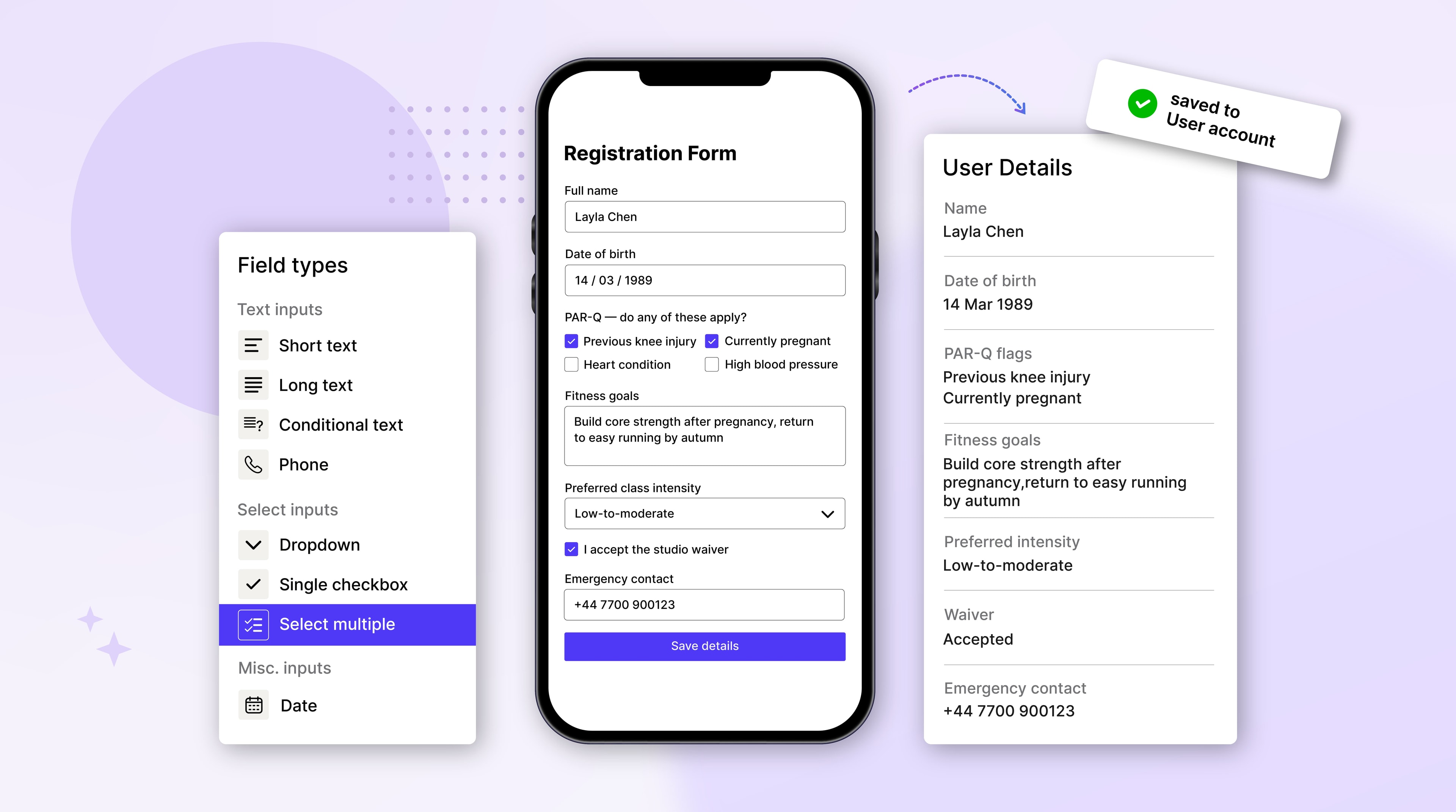
- Collect experience levels, prerequisites, dietary requirements and signed waivers at sign-up - not on a paper form on the day. Accept file uploads for certifications or consent forms. Information is saved for returning participants, so they update once instead of re-completing forms every course.
- One account, multiple courses, one checkout
- Users create one account, register every attendee they're booking for (themselves, a colleague, a team), and combine any courses in a single checkout. They manage their own bookings, cancellations and rebooks from a self-service portal - so a lot of inbox admin never lands with you in the first place.
- Fill cancellations automatically with waitlists
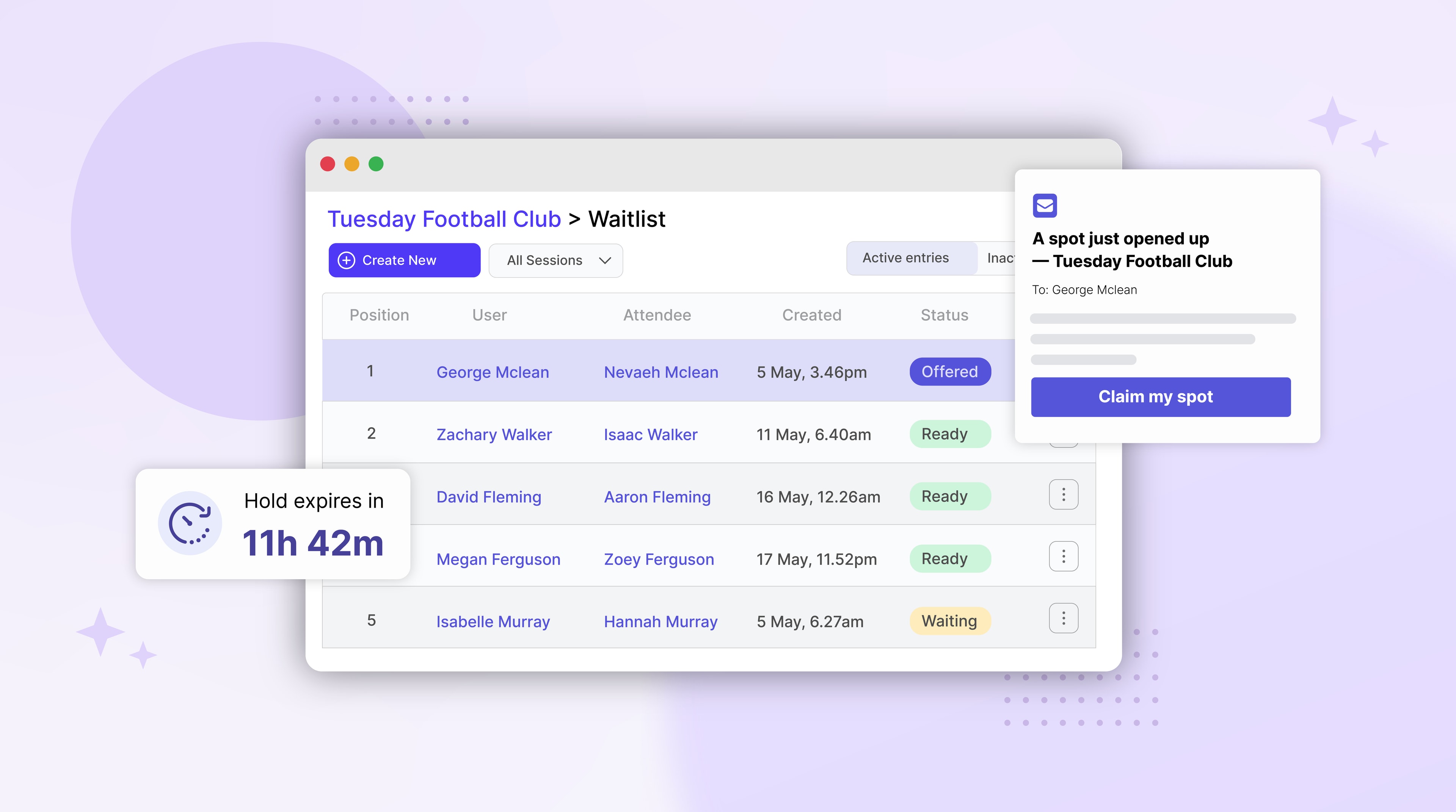
- When a course fills up, users join a waitlist. When someone cancels, the next person on the list is offered the spot automatically with a hold-time - so seats don't sit empty and you don't sit in the inbox negotiating who gets the slot.
Works with the tools you already use
 Stripe
 Zapier
 Google Analytics
 Meta Pixel
 HubSpot
 Mailchimp
HubSpot and Mailchimp connect via Zapier.
Built for course organizers
Generic ticketing tools assume one customer books one ticket for one event. Course organizers running multi-session courses don't work that way. You're running multi-week cohorts, training programmes and workshops with prerequisites, installments, waitlists, group bookings and signed waivers all running at once. Pembee is built for that reality.
Here's how Pembee compares to the generic scheduling software and event ticketing tools course organizers usually try first.
| What course organizers need | PembeeBuilt for course organizers | Generic scheduling softwareCalendly, Acuity, Square | Event ticketing softwareEventbrite, Bookwhen |
|---|---|---|---|
| Multi-session course scheduling | Yes | 1:1 appointment model | Event by event |
| Group bookings (book yourself + a team) | Yes | No | Partial |
| Attendance rosters across sessions | Yes | No | No |
| Automatic waitlists with spot offers | Yes | Partial | Partial |
| Custom forms, waivers and prerequisites | Yes | No | No |
| Session passes, installments and subscriptions | Yes | No | No |
| Self-managed account (enroll multiple attendees) | Yes | No | No |
| Card + Apple Pay + Klarna + cash reconciliation | Yes | Card only | Card only |
| Designed for workshops, courses and training | Yes | No | Partial |
Built for course organizers. Not generic appointments. Not one-off event ticketing.
Other Pembee solutions
Whether you're running an after-school club, a course, a dance studio or a holiday camp, Pembee's the same powerful platform — set up around how your sector actually works.
Fitness class booking software
Memberships, drop-ins and waitlists for yoga, pilates, HIIT and group fitness studios.
Learn moreAfterschool program software
Recurring billing, user accounts and rosters for afterschool providers.
Learn moreCourse booking system
Sell whole courses, multi-session blocks and waitlists in one place.
Learn moreDance studio software
Built for dance schools running multiple disciplines, terms and exams.
Learn moreGymnastics club management software
Recreational squads, competitive squads, holiday camps — all on one timetable.
Learn moreCamp registration software
Multi-week bookings, sibling discounts and consent forms for holiday camps.
Learn more
Testimonials
Trusted to handle thousands of bookings each day


“Pembee has been a game-changer for our organisation. It's incredibly easy to use and amend, and every update feels purposeful and well thought out. Our parents regularly comment on how straightforward the booking process is, saving them time and reducing admin stress on our side.”
“I am blown away by the level of support and service from Pembee, the team have helped me set up the app and tweak it to get it working exactly as I want it. I can't fault any step of the process.”

“We have been using Pembee for our nature school for over a year, and it has been such a seamless experience! It's incredibly easy to use and it covers everything we have needed to run our programs successfully.”

“So easy to use, great for customers and staff. Clean and crisp front end for parents - easily operated back end for staff.”
“I highly recommend Pembee to any school or organization managing activity bookings. We have been using Pembee for two years now to manage our school's after-school activities, and it has greatly simplified the booking process for our families.”

“Amazing. Not only a great and easy to use platform but brilliant customer service. Pembee has been a game changer for me. From using a previous booking system, my workload has been cut in half - more than half!”

“Pembee is very easy to use and the customer support is very accessible. I don't even consider paying for it as it's worth every penny. No complaints from customers as the registration process is seamless.”
“Fantastic. Easy to use, support is incredible and we have much happier users.”

“Highly intuitive for parents to use to book their children onto our kids camps. Features were exactly what we needed. Just absolutely fantastic.”

- Bookings processed
- 900K
- Transactions processed
- $50M
- Total Users
- 230,000+
- Sessions listed
- 600,000+
Course booking system - common questions
- How quickly can I get my courses set up on Pembee?
- Most course providers are taking real bookings the same day they sign up. Initial set-up takes around 10 minutes: add your schedule, course pricing, registration form and share your booking page link. There's a step-by-step set-up guide and our team aims to reply within a few hours if you get stuck.
- Can you help me migrate from my current system?
- Yes. If you're moving from Eventbrite, Bookwhen, Jumbula, a Learning Management System or a spreadsheet, we can help import your customers, attendees and active enrollments. Book a demo and we'll walk through what your migration looks like.
- Can I take attendance and check participants in on the day?
- Yes. Mark attendance from your phone or tablet during the session, or download a printable roster if you prefer hard copies. Check-in and check-out status is tracked per participant, and the data flows straight back into your customer reports - no copying numbers into a spreadsheet on Sunday night.
- Can I sell session passes or subscriptions for multi-term courses?
- Yes. Sell session passes where customers pay for a set number of sessions up front, with credits deducted as they register. For longer-running courses, set up a monthly subscription so participants pay on a schedule - useful for ongoing training programs and multi-term cohorts.
- Can I offer payment plans or installments?
- Yes. Split a course into monthly installments, take a deposit and balance, or run monthly subscriptions. Failed payments retry automatically and customers get reminder emails, so you're not chasing payments manually. You can also accept offline payments like bank transfers and reconcile them in the same dashboard.
- Can participants book multiple courses in a single checkout?
- Yes. Pembee is built for users booking multiple attendees and multiple courses at once. They create one account, add everyone they're booking for, and combine any courses in a single checkout with one set of waivers and one card. Companies booking teams of staff for training use this every day.
- Can I collect prerequisites, waivers and consent forms at sign-up?
- Yes. Build custom registration forms that collect experience levels, prerequisites, dietary requirements and signed waivers as part of booking. Participants can also upload files (certifications, photo ID, consent forms) directly through the form. Information is saved for returning participants, so they update once instead of re-completing forms every course.
- Does Pembee handle waitlists when a course is full?
- Yes. When a course is full, users join a waitlist. When someone cancels, the next person on the list is offered the spot automatically with a hold-time, so seats don't sit empty. (Waitlists are on the Premium plan.)
- Can I add co-organizers and restrict who sees financial data?
- Yes. Add admin accounts for co-organizers, instructors or other training providers, and assign roles so each person sees only what they need. For example, give an instructor access to their roster without exposing revenue or payment information.
- What is a course booking system?
- A course booking system is software for taking enrollments, managing sessions and waitlists, tracking attendance, and taking payments in one place. It replaces spreadsheets, manual sign-up sheets and inbox admin with one tool that handles the full lifecycle of a course - from listing it on a booking page, to running the session, to issuing refunds.
- Can I export my bookings and customer data?
- Yes. Export bookings, customers, attendees and payment records to CSV or PDF at any time. Your data is yours - we don't lock it up and we don't pass it on to third parties.
Still have a question?
Book a 20-minute demo and we'll walk through your set-up.
Pricing
Start your Free 30-Day Trial Now!
No credit card required. Cancel any time.
2 months free!
Standard
0.59% application fee for Stripe online payments*
Simplify your online bookings and save valuable admin time.
Customizable registration forms
Attendance rosters
Offer flexible monthly subscriptions to your customers.
Session passes / Class packs
Create trial tickets
Apple Pay, Google Pay & Klarna support
Discount codes
Booking reminders
Collect VAT, sales tax or GST automatically
Customizable site themes and branding
Seamlessly integrate your booking page into your website.
90 days transactional email history
Up to 5 admin users
No credit card required
Premium
0.59% application fee for Stripe online payments*
Powerful tools to grow your business and boost bookings.
All features in Standard, plus...
Waitlists for fully booked sessions
Recover lost bookings with automated cart reminders, plus automated trial follow-up emails.
Boost your brand with a custom web address.
Generate a booking site theme from your brand.
Track conversions and optimize ad spend with Google Ads, GA4 & Meta Pixel.
Monthly transaction reports
Add credit to customer accounts
1 year transactional email history
Unlimited admin users
Connect your favorite tools with Zapier integration
No credit card required
*This is in addition to Stripe processing fees. For details please visit https://stripe.com/pricing.
Ready to stop running your courses from a spreadsheet?
Join 230,000+ users at clubs, camps and schools who've moved to Pembee. Set up in an afternoon. 30 days free. No card needed.