


You've run your club on ClassForKids, but canceling a whole term means refunding parents one by one.
Or maybe an early-bird discount won't stack with your sibling discount, the extra Stripe Billing fee eats into every payment, and you still can't attach a flyer to an email.
Whatever pushed you here, you're not stuck with it. We compared 7 ClassForKids alternatives on flexible payments, fees, and real reviews, and flagged the one case where staying put still makes sense.
Best ClassForKids alternatives at a glance
The table below puts ClassForKids first as a reference column (the tool you're replacing), then ranks the alternatives. Pembee is our top pick for activity providers, but the right choice depends on what you run. The feature rows map to the four things clubs most often leave ClassForKids to fix.
Why look for a ClassForKids alternative?
ClassForKids is well liked and well supported. It earns its 4.8 star Capterra rating. The friction shows up around payments, fees, communication, and fit, and the same complaints surface again and again in reviews:
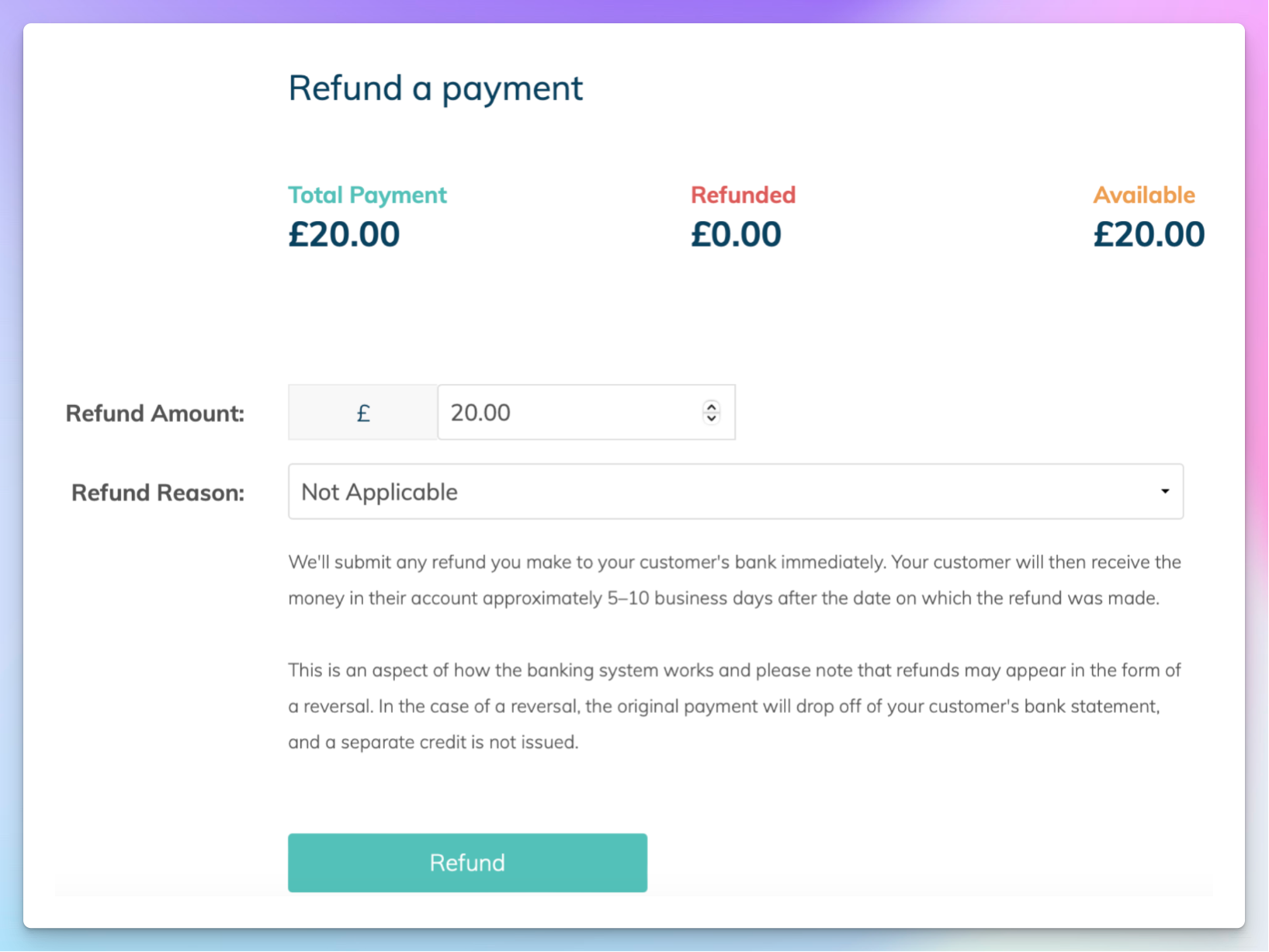
- Rigid payments, refunds, and discounts. When a whole class or term is canceled, refunds have to be processed parent by parent rather than in one action, a pain point that surfaced hard during lockdowns and still gets cited. One-off and drop-in payments don't fit the term-and-subscription model cleanly, and reviewers report that discounts won't stack, so an early-bird price can't combine with a multi-child discount.
- Fees stack on the subscription. Beyond the monthly subscription, an extra Stripe Billing fee applies per transaction on top of standard card processing. ClassForKids advises clubs to raise their prices to absorb it, and reviewers describe the platform fees as high and some functions as costly to use once you factor them in.
- Thin communication tools. A repeated complaint is that you can't attach files to emails, so no PDFs, flyers, or class videos go out through the system. Reviewers also flag a copy-phone-numbers function that doesn't work and email deliverability problems with some providers.
- Built around UK kids' clubs. Headline pricing is in GBP, regional pricing needs a sales conversation, and the whole model assumes UK-style term-based kids' activities. It fits less naturally if you run adult classes or memberships alongside your kids' ones, and some long-time users note they can no longer phone in with queries as the company has grown.
To be fair, ClassForKids does the core job well. It is purpose-built for kids' activity clubs, with term booking, digital rosters holding medical and emergency info, automated payment collection and chasing, and class transfers. The recurring praise is real: it saves serious admin time, families find booking simple, and its customer support and onboarding are among the most praised things about it. The issue isn't quality. It's fit and flexibility, and that is what pinches once you want stackable discounts, drop-in payments, richer communication, a branded app, or one system for kids' and adult classes.
1. Pembee - Best Overall Alternative to ClassForKids
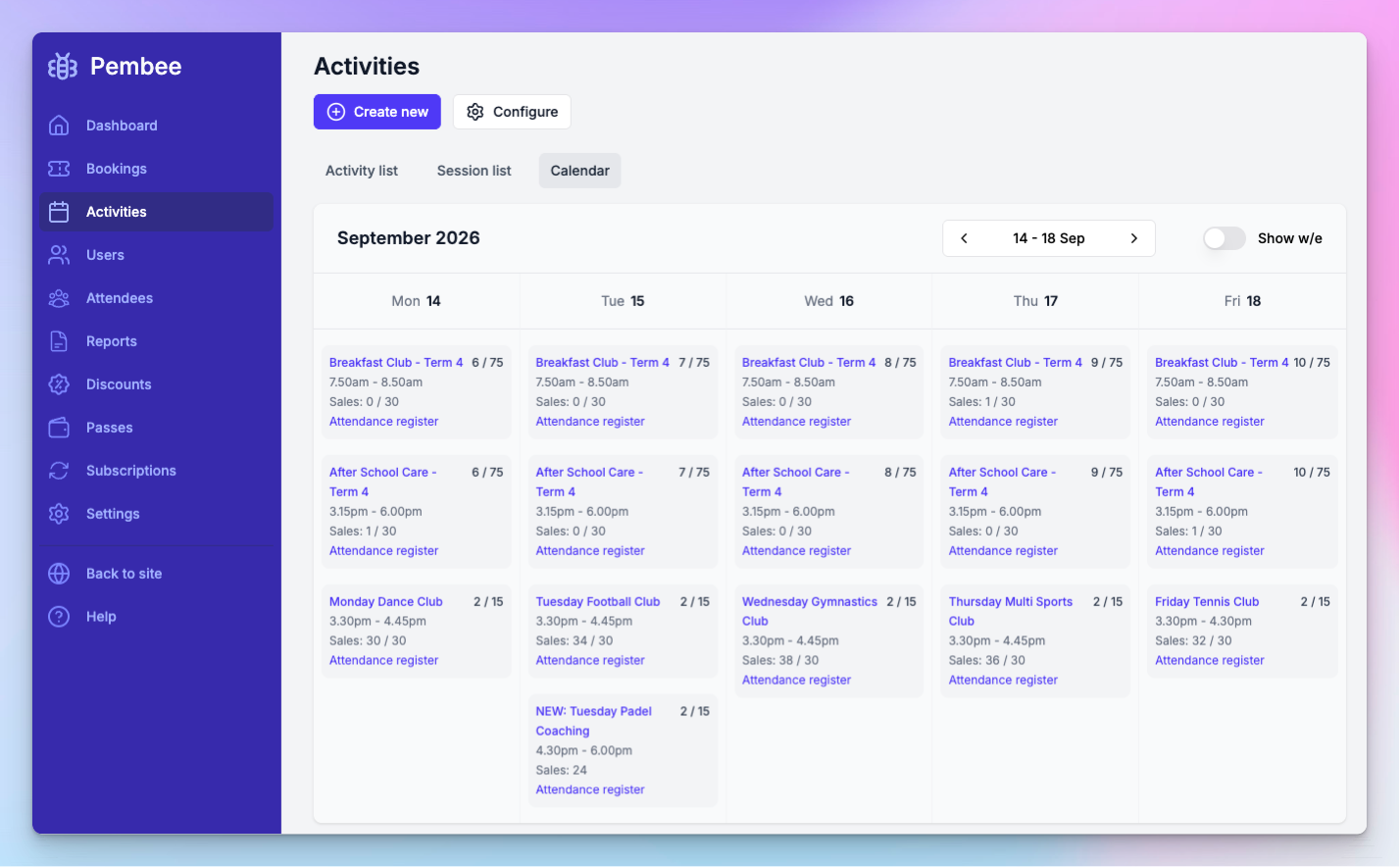
We're booking and class management software built for activity providers, and the alternative we'd reach for first if you're leaving ClassForKids. We run recurring classes, registration, rosters, payments, comms, and waivers in one place, for both kids' and adult activities, which is exactly where ClassForKids' UK kids-club shape starts to pinch.
Best for: providers who want flexible, stackable discounts, transparent low fees, and one system for kids' and adult classes.
Key features:
- Recurring class scheduling and online registration, so a term is one program rather than a stack of separate tickets
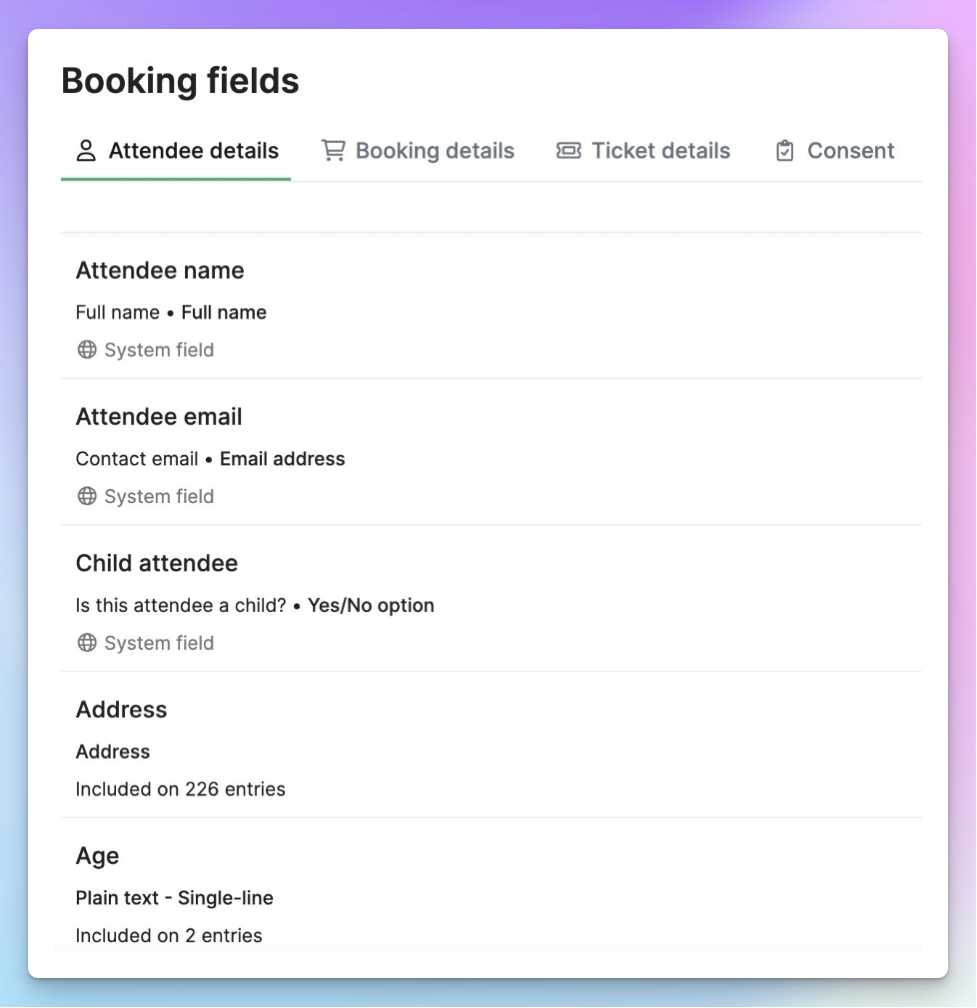
- Digital rosters and waitlists with GDPR-configurable registration forms, so you decide which fields parents complete rather than being forced into fixed ones
- Payments with automated collection and chasing, card, Apple Pay, and Google Pay
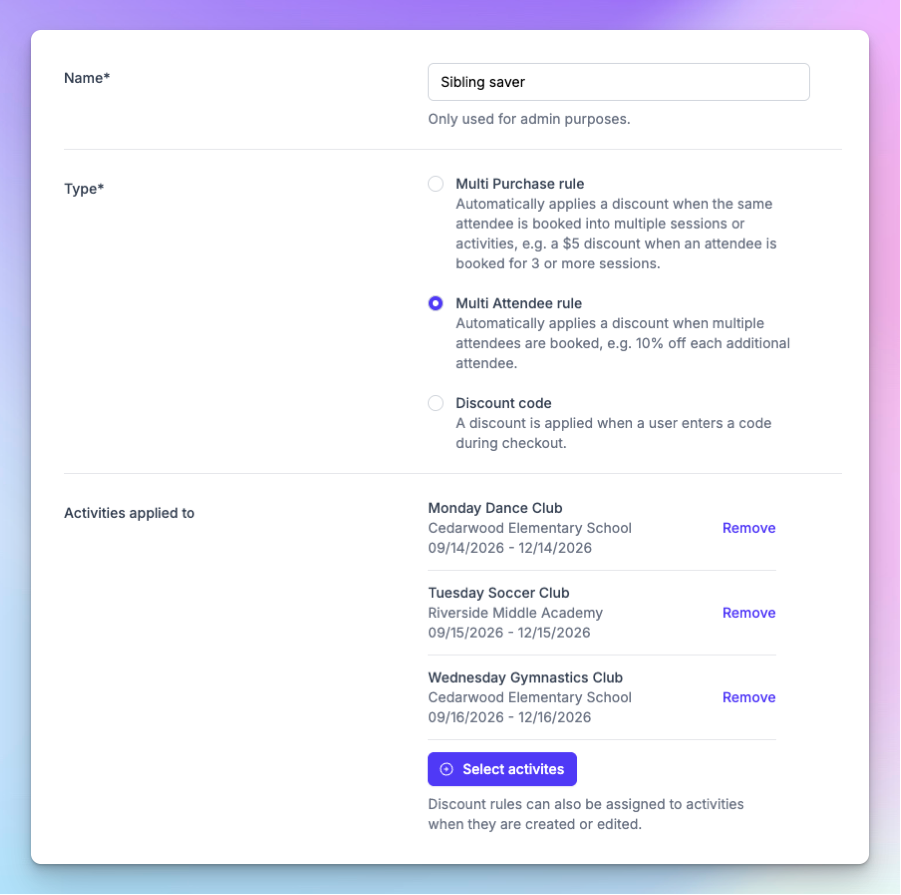
- Sibling discounts, multi-purchase discounts, and discount codes that address the stacking complaint directly
- Customer comms and waivers built in
- Support for adult classes and memberships alongside kids' activities
Pricing: $45/mo (regional pricing available), plus a 0.59% fee on payments through Stripe rather than a separate stacked Billing fee. Free trial: 30 days, no card required. Pricing checked July 2026.
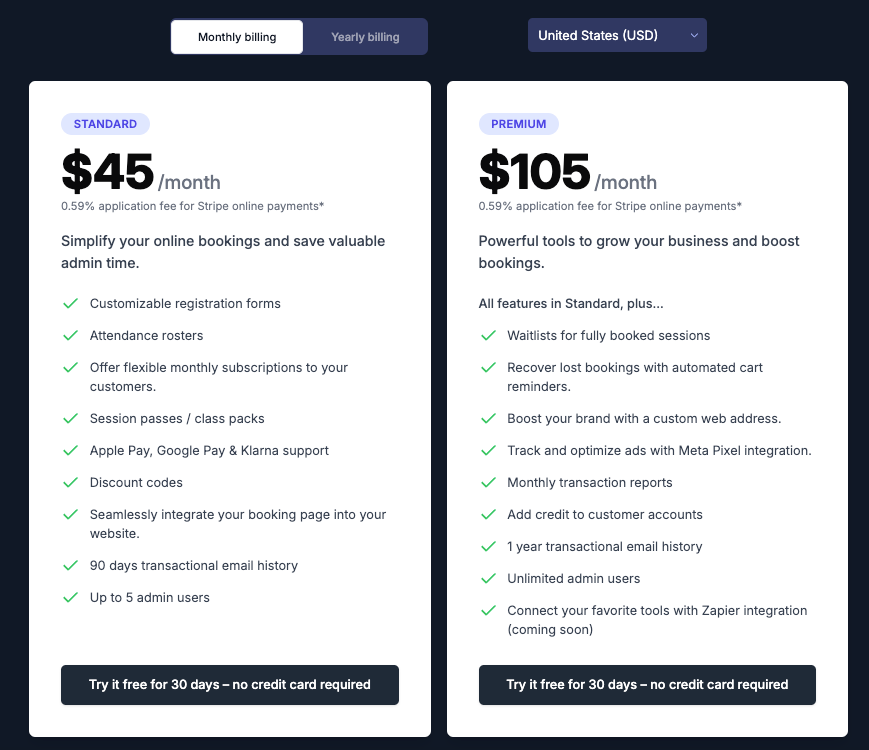
How it compares to ClassForKids: we beat ClassForKids on the exact things clubs leave it for, with stackable sibling and multi-buy discounts, one-off and recurring payments, and a transparent 0.59% fee instead of an extra Billing fee layered on processing. We're also not locked to a UK term-club shape, so adult classes and memberships sit alongside kids' ones. Where we fall short: ClassForKids is a larger, longer-established incumbent with a bigger review base, and we don't yet offer a native mobile app. For the line-by-line fee and feature breakdown, see our ClassForKids alternative comparison.
Pros:
- Intuitive for both staff and parents, a common note in reviews
- Support rated second to none during setup and onboarding
- Cuts admin time on bookings, payments, and chasing
- GDPR-configurable rosters, so you're not forced to collect fields you don't want
Cons:
- No native mobile app yet, unlike Class Manager, Coacha, and TeamUp
- Roster sorting is fixed to surname
- Smaller and newer than the large incumbents, with a modest review count
Migration from ClassForKids: onboarding is hands-on, you can import your existing customers and classes, and the 30-day free trial lets you run Pembee in parallel before you switch, so your live booking calendar never goes dark. We won't overclaim a one-click import; the team helps you move your data across.
What users say: we hold 4.9 stars on Capterra from 23 reviews. That's a small base, so treat it as genuine but early signal, with praise centering on ease of use, support, and time saved.
Verdict: for a dance, gymnastics, swim, or martial arts provider leaving ClassForKids for flexible payments, lower fees, and one system that also handles adult classes, we're the strongest fit on this list. If a native app is a hard requirement today, look at the next few entries.
2. Class Manager - Best for dance/gym/swim studios wanting a branded app
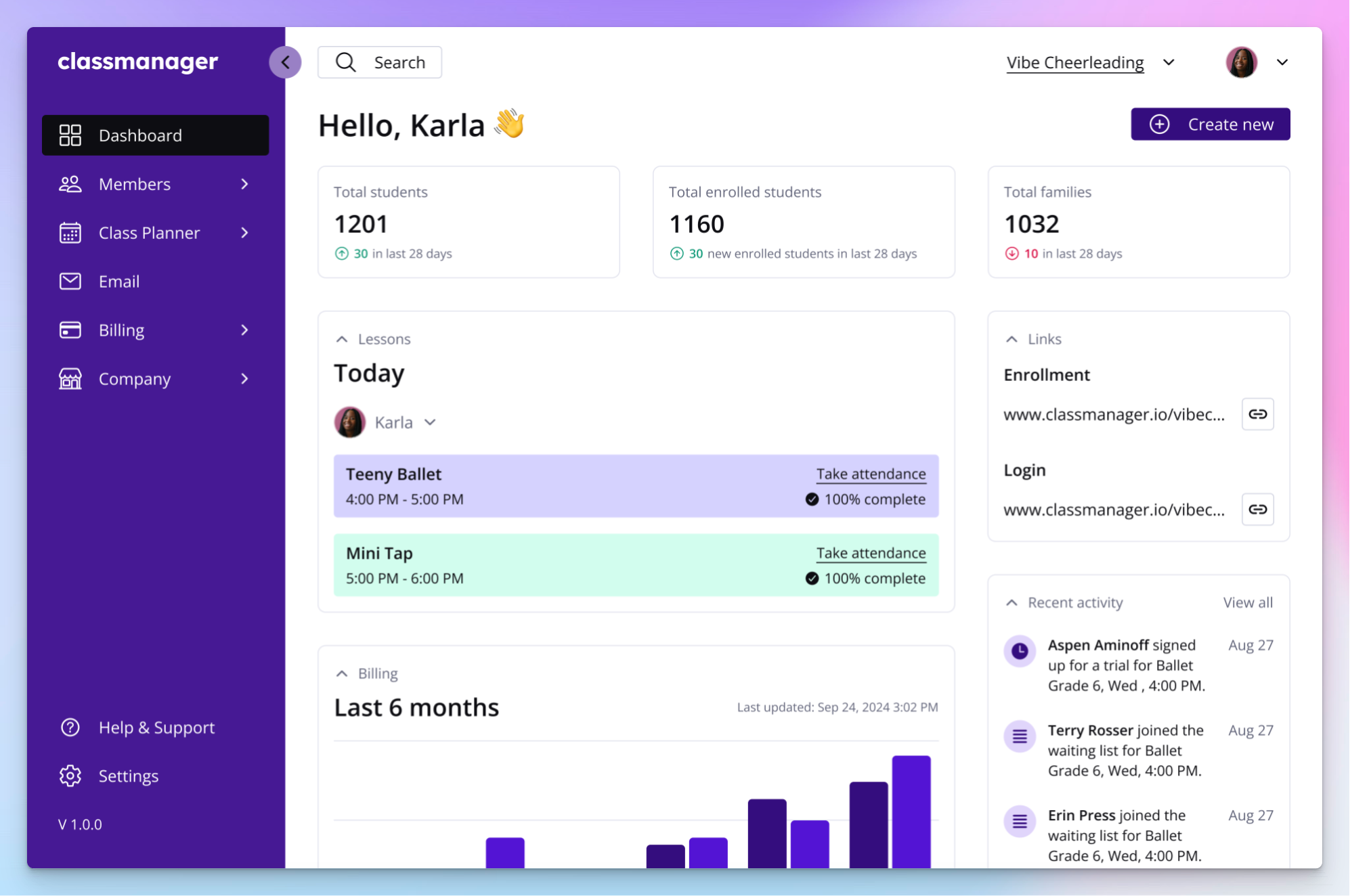
Class Manager is member management software popular with dance, gym, and swim studios, and its headline draw over ClassForKids is a branded parent app on a pay-as-you-go pricing model.
Best for: studios that want a branded app and would rather pay on payments than a monthly subscription.
Key features:
- Class scheduling and attendance
- Invoicing and automated payments with reminders
- Online registration and a parent portal
- A branded mobile app for parents, closing a gap ClassForKids leaves open
- Email communication
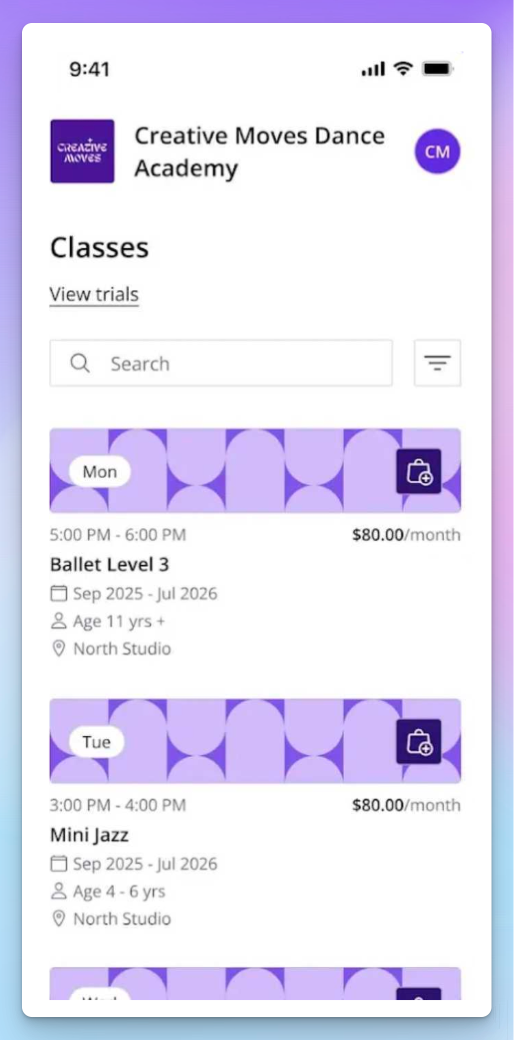
Pricing: free to start, with a usage-based model where you pay when you process payments rather than a fixed subscription. Currency is GBP-native. Pricing checked July 2026.
How it compares to ClassForKids: it gives you the branded parent app ClassForKids lacks, and the pay-only-on-payments model appeals if you're tired of a subscription plus stacked fees. It's lighter on advanced features, and its transaction-fee model can add up at higher volume.
Pros:
- Affordable and strong value for small studios
- Easy to run for a solo studio owner
- Strong, well-rated support
Cons:
- Feature depth scores lower than ease and value, so fewer advanced tools
- Geared to smaller clubs and studios
- The transaction-fee model can add up as volume grows
Migration from ClassForKids: it's a UK-to-UK move with a similar term-and-class model, and support is rated highly for setup, so the switch is conceptually close. Confirm your import options with their team.
What users say: 4.8 stars on Capterra from 175 reviews, with value and customer service both around 4.9 and around three in five reviewers coming from dance studios.
Verdict: a good pick for a dance studio software buyer who specifically wants a branded parent app without a subscription, and can live with lighter advanced features.
3. Coacha - Best for sports and multi-activity clubs wanting a free member app
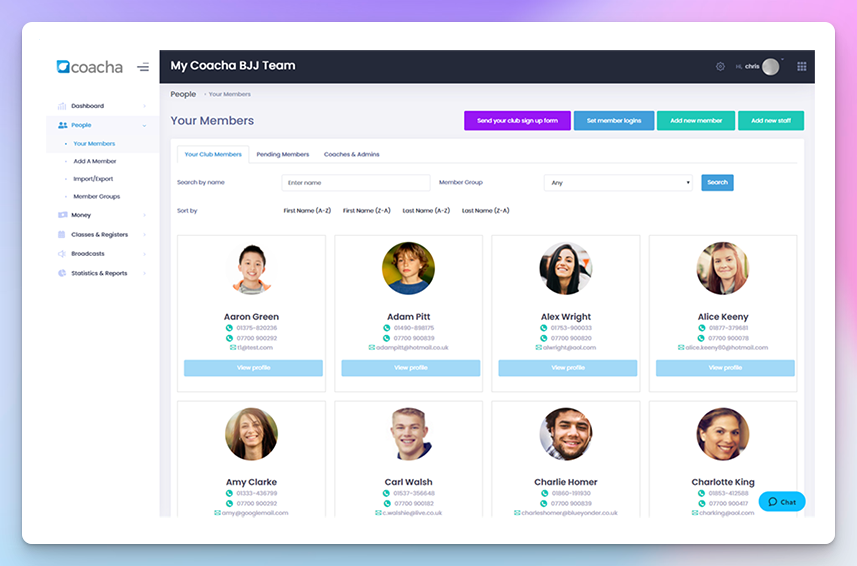
Coacha is club management software aimed at sports and multi-activity clubs, and it pairs a full booking system with free member apps, which is a strong answer to ClassForKids' missing app and fee complaints.
Best for: football, martial arts, athletics, and other sports clubs that want a free branded member app and self-service check-in.
Key features:
- Subscriptions, payments, and a full booking system
- Sessions and rosters with instant access to emergency and medical info
- Free member portal plus iOS and Android apps
- Club stats and reports, branding, and an e-commerce store
- Self-service sign-in for members
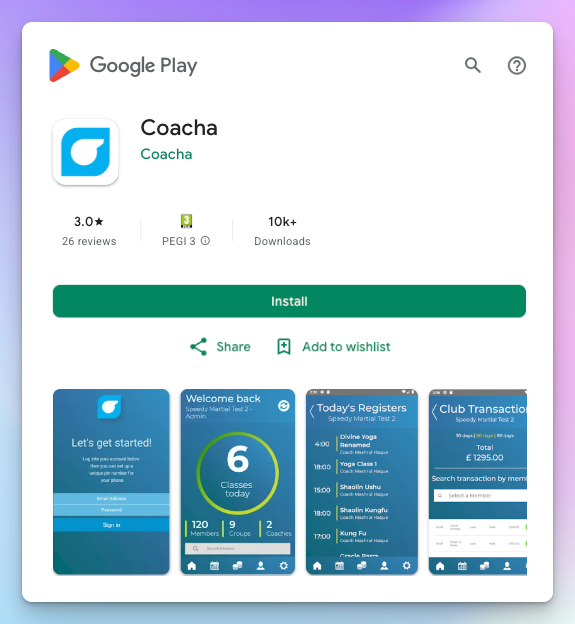
Pricing: from around $46/mo. Free trial with no card required. UK-based. Pricing checked July 2026.
How it compares to ClassForKids: you get free branded member apps and self-service check-in that ClassForKids doesn't offer, and its low-fee positioning speaks directly to the stacked-fee complaint. It leans toward clubs over studios, so it's lighter on studio-specific tools like recital or costume management.
Pros:
- Excellent value
- Very fast, helpful support
- Consolidates memberships, bookings, and comms with member apps included
Cons:
- UK-focused
- Feature depth is aimed at clubs rather than studios
- Fewer studio-specific tools
Migration from ClassForKids: a UK club-to-club move with a similar membership and rosters model, and onboarding support is praised. Confirm import specifics with their team.
What users say: 4.9 stars on Capterra from 82 reviews, with strong marks for ease, service, and value.
Verdict: our pick for a sports club or martial arts academy running memberships that wants a free member app, more than for a costume-and-recital dance studio.
4. Bookwhen - Best for simple, low-cost class and workshop booking
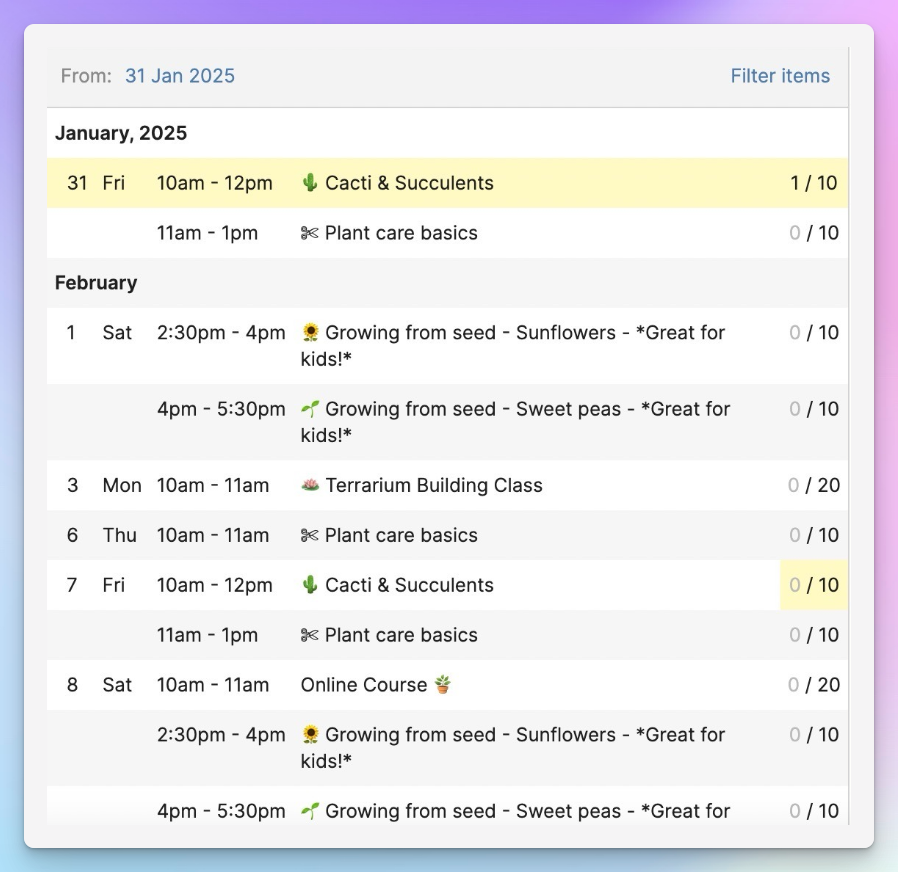
Bookwhen is a lightweight booking tool for classes, courses, and workshops, and its appeal against ClassForKids is simplicity and price for anyone running drop-ins and one-offs rather than full term programs.
Best for: providers who want a cheap, flexible booking page for classes and workshops without a full club-management system.
Key features:
- Simple class, course, and workshop booking with class passes
- Zoom link generation and Google Calendar sync
- Waivers and attachments on booking forms
- Payments through Stripe and PayPal
- A list-based schedule
Pricing: $15/mo Lite, Standard $29, Plus $59, Enterprise custom. Free trial available. UK-based. Pricing checked July 2026.
How it compares to ClassForKids: it's far cheaper and more flexible for one-off workshops, courses, and drop-ins that ClassForKids handles awkwardly. The trade-off is depth, since it's lighter on rosters, family accounts, and automated payment chasing than a full club system.
Pros:
- Excellent value
- Easy to run once it's set up
- Responsive support and flexible booking
Cons:
- Defaults to a list view with no calendar-grid view
- Initial setup can feel fiddly
- Lighter on rosters, family accounts, and automated chasing than a full club system
Migration from ClassForKids: this is a lightweight move, since you rebuild a simpler schedule and have less to migrate, so switching effort is low, but you may give up some club-management depth.
What users say: 4.9 stars on Capterra from 179 reviews, with high marks for value, service, and flexible booking.
Verdict: a smart downgrade in complexity if your real need is a simple online booking system for small businesses, not a full club-management platform.
5. Jumbula - Best for US after-school programs and camps
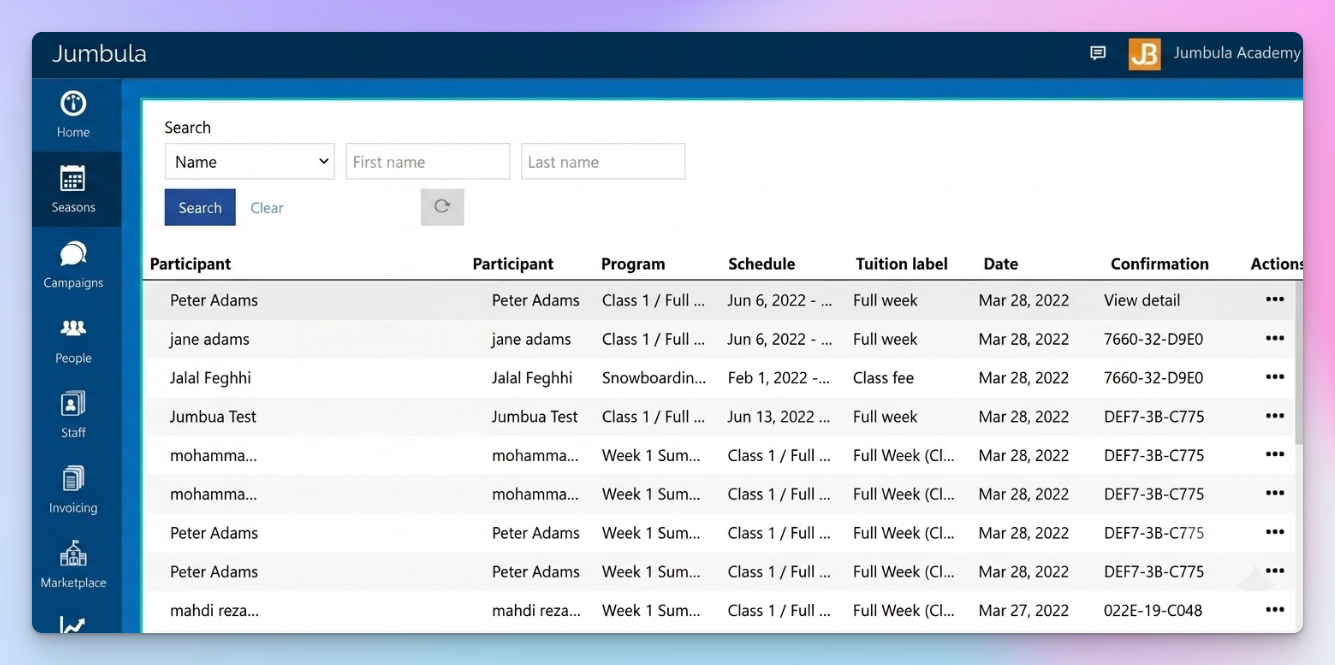
Jumbula is registration software built for US after-school programs and camps, and it fits the ClassForKids refugee whose real problem is that ClassForKids assumes a UK term-club model.
Best for: US after-school programs, before/after-school care, and camps that need strong registration and waitlist tools.
Key features:
- Flexible class scheduling and online registration
- Payments and waitlists
- Camp and session management for multi-day programs
- Before and after-school program tools with K-12 and school support
- Family communication
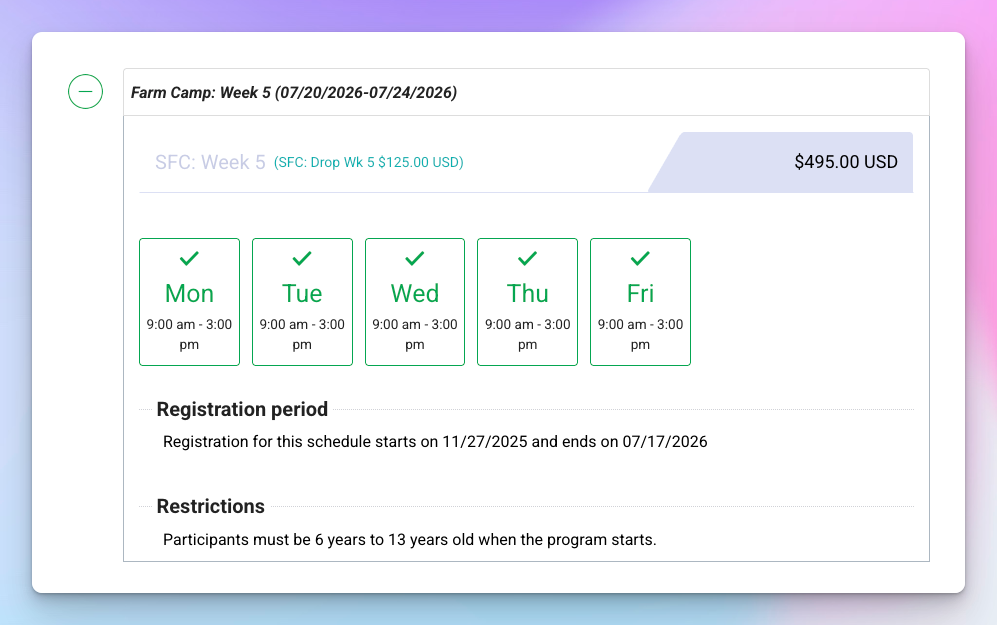
Pricing: $15/mo Pay-As-You-Go with the first month free, Rise around $150/mo, Ascend around $285/mo. US-based, USD-native. Pricing checked July 2026.
How it compares to ClassForKids: it's built for the US market and for camp and waitlist tooling that ClassForKids' UK shape doesn't match. The trade-off is a steeper learning curve, and higher tiers get expensive.
Pros:
- Smooth parent registration
- Template-driven setup
- Strong camp waitlists and data collection
Cons:
- A learning curve, with reviewers citing confusing tabs
- Confusing pricing language
- Limits on website embeds and customization, and higher tiers get pricey
Migration from ClassForKids: different market and model, so expect a learning curve, though template-based setup speeds the rebuild. Moderate switching effort.
What users say: around 4.5 stars on Capterra from 100-plus reviews, with praise for registration and camp tooling and complaints about the learning curve.
Verdict: the right call for a US camp registration software buyer or after-school program, less so for a UK term-based studio.
6. iClassPro - Best for established gym/swim/cheer schools
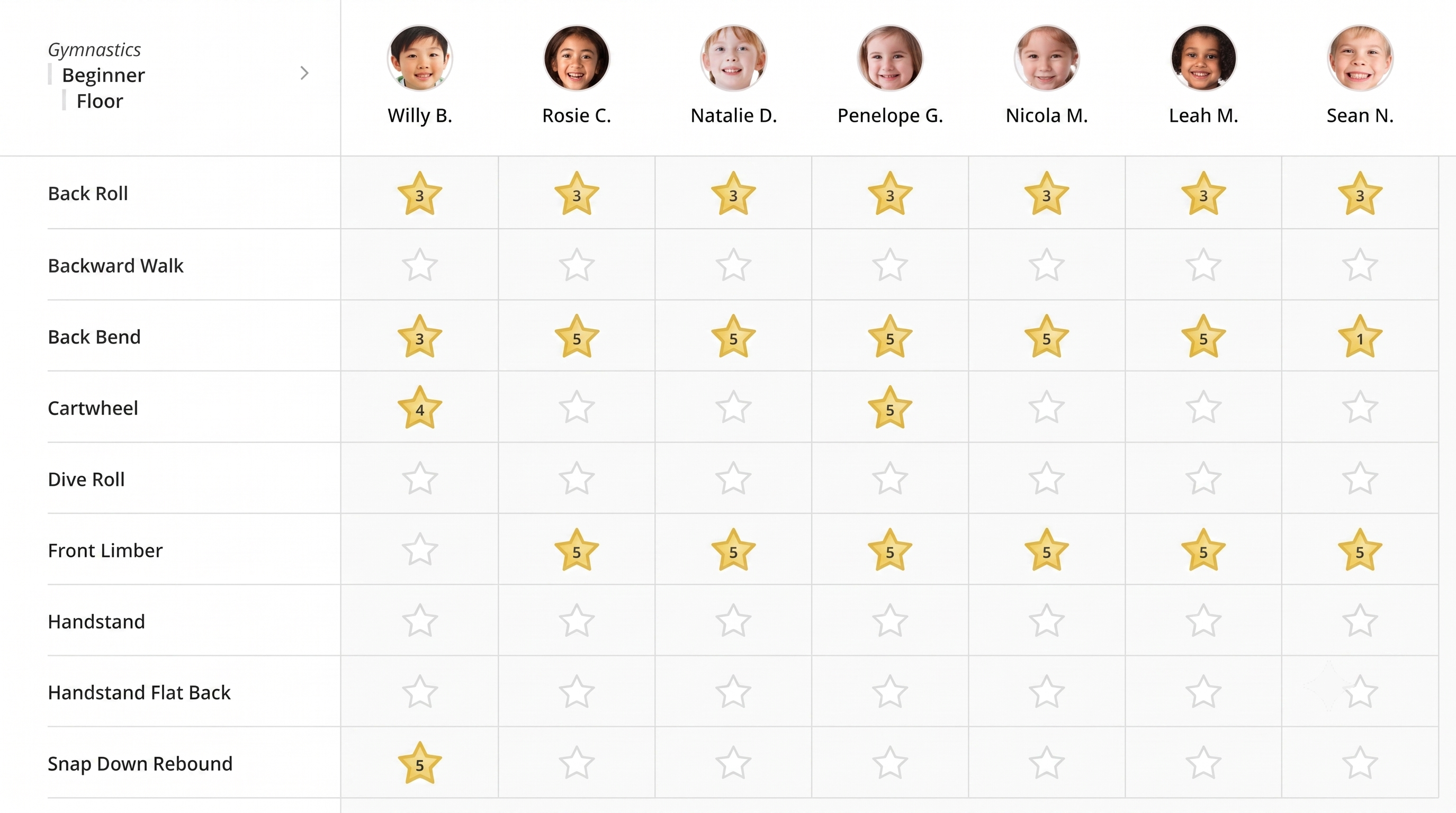
iClassPro is established class-management software for gymnastics, swim, and cheer schools, and it suits the ClassForKids user who has outgrown basic rosters and wants deep skill tracking across locations.
Best for: established gym, swim, and cheer schools needing skill tracking and multi-location management.
Key features:
- Class and enrollment management with skill tracking
- Recurring billing and staff scheduling
- Reports across the business
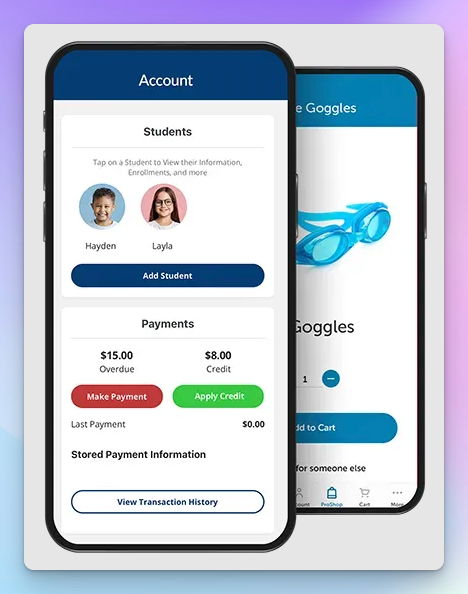
- Parent portal and app for absences, make-ups, progress, and event enrollment
- Multi-location support
Pricing: around $129/mo per location, with a branded app add-on at around $499 one-time plus $150/mo. Demo available. US-based. Pricing checked July 2026.
How it compares to ClassForKids: it offers gymnastics and swim skill-tracking and multi-location tools ClassForKids lacks, with strong parent self-service. It's a heavier system, and reviewers say it's not easy to set up.
Pros:
- Purpose-built for gym, swim, dance, and cheer
- Skill tracking
- A capable parent app
Cons:
- Not easy to set up
- Some reviewers describe first-line support as rigid
- The branded app is a paid add-on, and per-location pricing adds up
Migration from ClassForKids: this is a heavier system, reviewers note setup isn't easy, and migration effort is higher, so it's best for established or multi-location clubs with time to onboard.
What users say: 4.5 stars on Capterra from 477 reviews, the largest base here, with most reviewers in sports and small business.
Verdict: worth the heavier setup for a multi-location gymnastics management software buyer who needs skill tracking, and it's covered in our wider gymnastics management software roundup.
7. TeamUp - Best for adding adult fitness and memberships
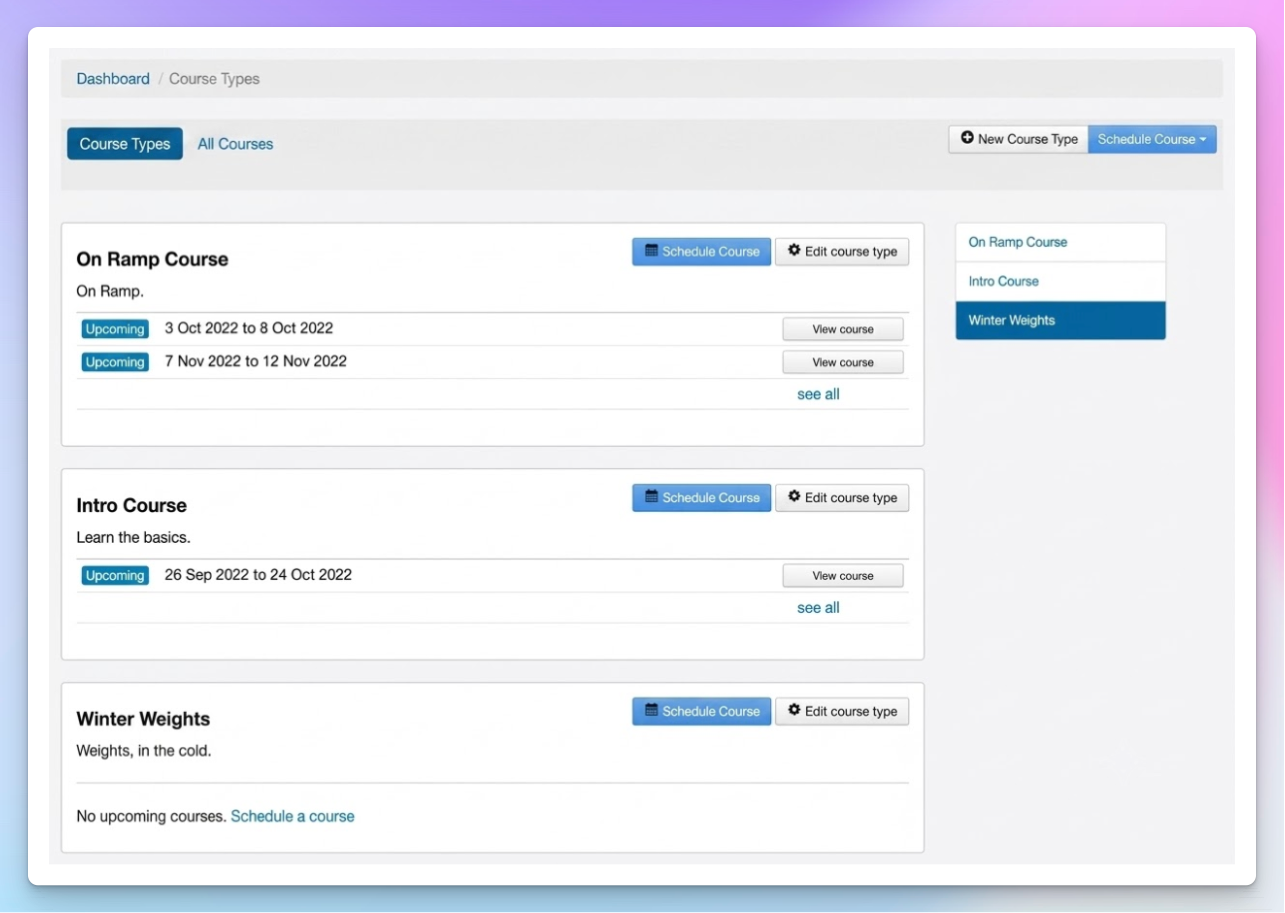
TeamUp is class and membership software with a strong adult-fitness lean, and it fits the ClassForKids user who runs kids' classes but also wants proper memberships for adult sessions.
Best for: providers layering adult fitness and memberships alongside kids' classes.
Key features:
- Class scheduling and online booking
- Membership management and recurring billing
- Client management and payments
- Reporting
- Branded and customer-facing apps
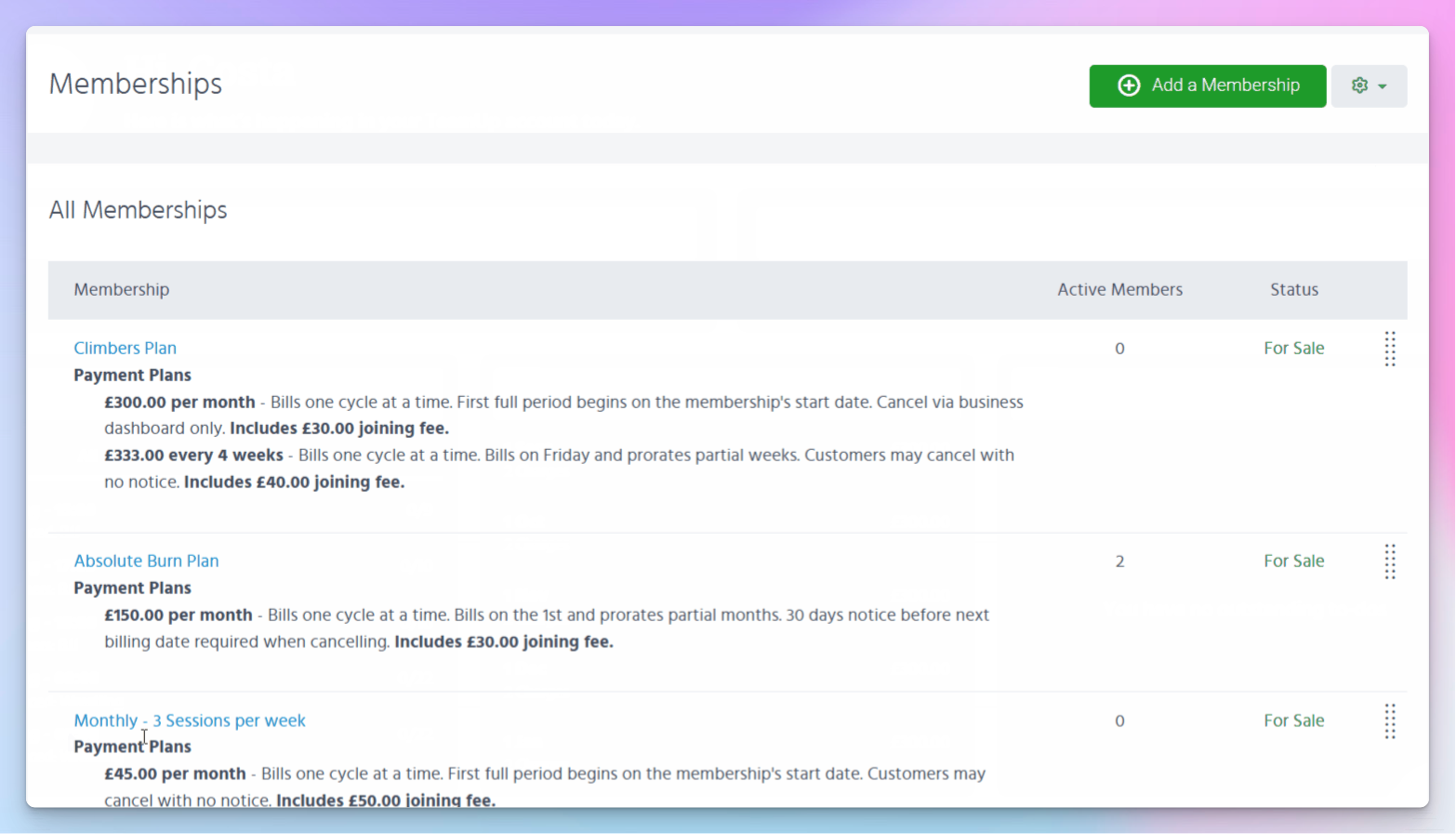
Pricing: from around $104 to $119/mo (Basic, up to 100 active customers), priced by active-customer count rather than features. Free data migration is included. Free trial available. Pricing checked July 2026.
How it compares to ClassForKids: it has a stronger memberships and recurring model and better adult-fitness fit, so it suits providers running kids' classes and adult sessions that ClassForKids' kids-club shape handles awkwardly. It's more fitness-oriented than kids-club oriented, and the monthly cost can feel high for a small club.
Pros:
- Good value with user-friendly apps for owners and members
- Frequent updates and fast support
- Free data migration
Cons:
- Monthly cost feels high for small or low-volume clubs
- Extra Stripe transaction fees
- Custom billing and trial flows can be confusing
Migration from ClassForKids: TeamUp offers free data migration, the lowest-friction switch on this list for getting your data across, though setting up custom billing rules can be fiddly.
What users say: 4.8 stars on Capterra from 327 reviews, with praise for value, ease, and the free migration.
Verdict: the pick when adult memberships are a real part of your business, less so if you run purely kids' after-school clubs.
When ClassForKids is still the right choice
If you run a UK term-based kids' club and you're happy with the payment model, ClassForKids is a solid, well-supported tool, and switching would cost you more than it saves. Its onboarding and support are genuinely well liked, the core loop of term booking, rosters, and automated payment chasing is tight, and families find it easy to book. The case for moving only gets strong once you need stackable discounts, drop-in payments, richer communication, a branded app, or one system that also runs adult classes and memberships. If none of those describe you, staying put is a fair call.
Our pick for leaving ClassForKids
For most activity providers leaving ClassForKids, we're the strongest all-round switch, because we fix the exact frictions people cite: stackable discounts, one-off and recurring payments, a transparent 0.59% fee, and one system for kids' and adult classes. A specialist only pulls ahead if one specific thing is your dealbreaker, so here's the quick map.
So if a branded app is your must-have, Class Manager, Coacha, and TeamUp deliver one, and TeamUp's free migration makes it the softest landing for adult-fitness providers; iClassPro suits multi-site gym and swim schools that live by skill tracking, and Jumbula fits the most registration-heavy US camp operations. For everyone else, we cover it in one system. And if you run a straightforward UK term-based kids' club and you're happy, staying on ClassForKids is a perfectly reasonable choice. You can also browse our solutions for activity providers to see where we fit your setup.