


You run your programs on Jumbula, but taking attendance once families have registered is still a fight.
Or maybe you wanted to invoice families after semester registration and found you could not, or your $15 plan ran out of enrollments and the next step up is $150.
Whatever pushed you here, you are not stuck with it. We compared 7 Jumbula alternatives on registration, rosters, billing, and real reviews, and flagged the cases where staying put is still the smarter call.
Best Jumbula alternatives at a glance
The table below puts Jumbula first as a reference column (the tool you are replacing), then ranks the alternatives. Pembee is our top pick for camps and after-school programs, but the right choice depends on what you run. The feature rows map to the things Jumbula users most often leave to fix, and where Jumbula genuinely delivers we have said so.
| Software |
Jumbula
Your current tool
★★★★☆ 4.5 (127)
|
Pembee
★ Editor's Pick
★★★★★ 4.9 (23)
|
Sawyer
★★★★☆ 4.5 (319)
|
CourseStorm
★★★★☆ 4.5 (35)
|
iClassPro
★★★★☆ 4.5 (477)
|
Enrollsy
★★★★★ 5.0 (32)
|
FunJoin
★★★★★ 5.0 (21)
|
Amilia SmartRec
★★★★☆ 4.3 (148)
|
|---|---|---|---|---|---|---|---|---|
| Best alternative for | US after-school, camps and K-12 programs | Camps and after-school programs that want flat pricing | Enrichment providers who want marketplace discovery | Schools, community ed and nonprofits wanting simple admin | Established gym, swim and dance schools | Enrollment-heavy after-school and care programs | Camps that run on mobile check-in | Parks, rec and multi-department organizations |
| Starting price | $15/mo10 enrollments | $45/moflat, no enrollment cap | $129/moLaunch plan | $99/moannual, plus $2.49 per registration | $139/moSignature plan | $129/moplus $199 setup fee | $249/moannual, $329 monthly | CA$99/molisted in Canadian dollars |
| Free trial | ✓ Yes | 30-day trial | ✓ Yes | ✗ No | ✓ Yes | ✗ No | ✗ No | ✓ Yes |
| Unlimited enrollments on entry plan | ✗ No | ✓ Yes | ✓ Yes | Partial | ✓ Yes | ✗ No | ✓ Yes | ✓ Yes |
| Family accounts with saved details | Partial | ✓ Yes | ✓ Yes | Partial | ✓ Yes | ✓ Yes | ✓ Yes | ✓ Yes |
| Payment plans and installments | ✓ Yes | ✓ Yes | Partial | Partial | ✓ Yes | ✓ Yes | Partial | Partial |
| Mobile check-in and rosters | ✓ Yes | ✓ Yes | ✓ Yes | Partial | ✓ Yes | ✓ Yes | ✓ Yes | Partial |
Ratings from Capterra, checked August 2026. Pricing checked August 2026 and quoted in USD, except Amilia SmartRec, which lists its plans in Canadian dollars. "Unlimited enrollments on entry plan" means the cheapest paid plan carries no published cap on enrollments or enrollees; "Partial" there flags a plan that is uncapped but meters you another way, such as a per-registration fee. Elsewhere "Partial" means limited or workaround-only support, and each tool's section below explains what the limit is.
Why look for a Jumbula alternative?
Jumbula's 4.5 rating from 127 Capterra reviewers is earned: only four sit at one or two stars. The friction shows up in the Cons fields of otherwise positive reviews, in five patterns.
- Clunky admin and uneven onboarding. Ease of use and features are its lowest sub-scores, both at 4.3. One 3.5-star reviewer in March 2026 called it "a bit buggy and not intuitive to navigate," and a two-star education director wrote that "the onboarding calls were not organized."
- Rosters fight back. An education-management reviewer put it in capitals: turning registration data into attendance "is a NIGHTMARE."
- Billing rigidity. A nonprofit business manager wanted to invoice families after semester registration and could not. A school director reported that a balance does not follow a student transferring between programs, "which could result in a loss of money."
- Parent-side re-entry. One education CEO said parents "have to re-enter the same info every time they register" and cannot save card details. Other reviewers report the opposite, so check early.
- The pricing step-up. The $15 plan includes 10 enrollments. The next plan with unlimited enrollments is $150, with nothing between.
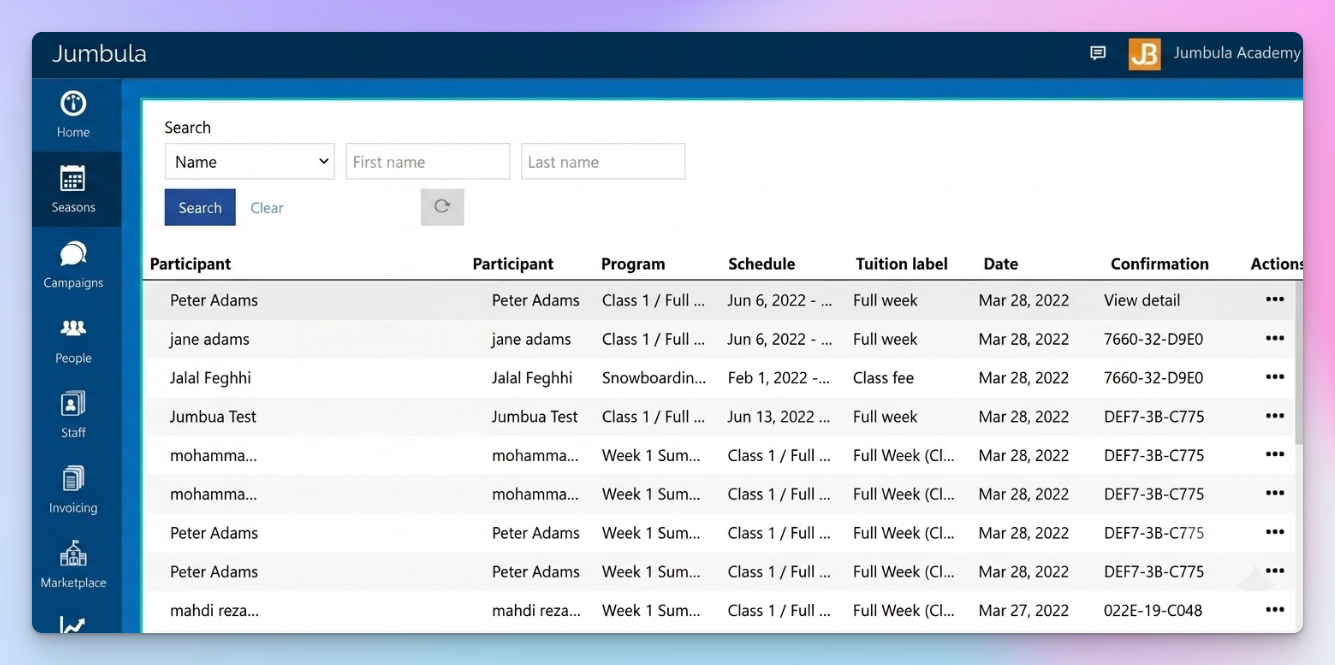
To be fair, value for money is its highest sub-score at 4.8, and "affordable" recurs in its five-star reviews. It is purpose-built for US after-school, camps and K-12 programs, ships installment plans and sibling discounts, and discounts 20% for nonprofits plus 5% for annual payment. Support scores 4.5 and draws more praise than criticism. Our Pembee and Jumbula comparison goes deeper.
How we picked these alternatives
We only considered software that does the job Jumbula does: recurring programs, camp sessions, family records, rosters and enrollment billing. That ruled out the payment tools and video apps that aggregator lists throw up, one-off ticketing platforms with no roster or family logic, and adult fitness systems aimed at a different buyer. Licensed-childcare and district-billing platforms are a neighboring job rather than the same one, and we cover those in our roundup of afterschool program management software. The full-scale camp platforms built for residential and multi-week operations sit in our camp management software roundup for the same reason.
What was left, we scored on four things: whether it closes one of the five gaps above, what it costs past the entry plan, how hard the rebuild is, and what real reviewers say. Ratings come from Capterra, the only source with usable coverage across all eight tools. Where a review base is under 50, we say so and treat it as soft signal.
The 7 best Jumbula alternatives
#1. Pembee, the best overall Jumbula alternative for camps and after-school programs
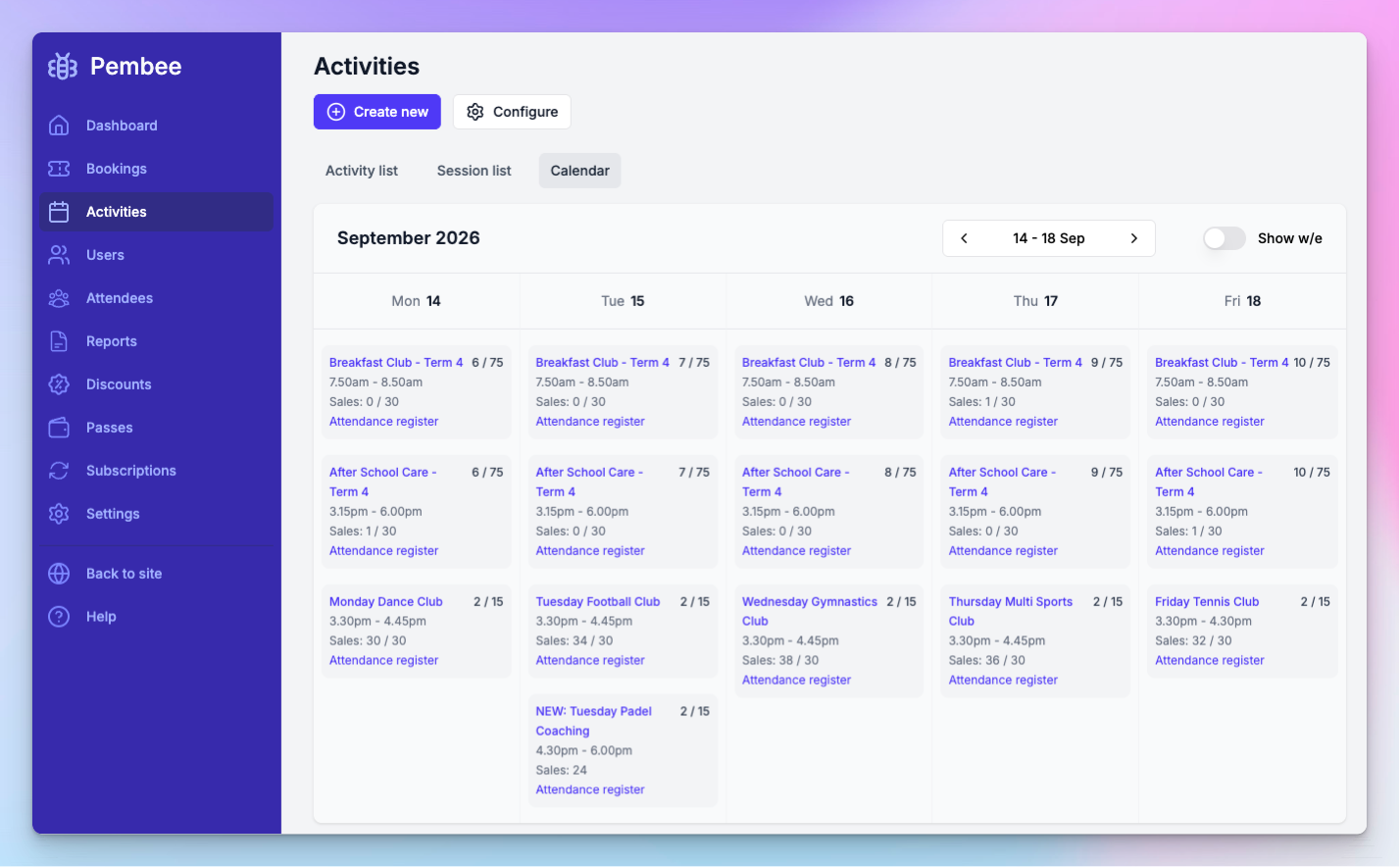
We built Pembee for activity providers who run recurring programs, and the version of it that matters here is afterschool program software and camp registration software in one account. It suits the Jumbula user whose complaint is daily admin and the enrollment cliff rather than missing features.
Best for: camps, after-school clubs and enrichment providers that bill families directly and want flat pricing, family accounts and rosters that work on a phone.
Key features:
- Flat monthly pricing with no cap on enrollments, families, staff, locations or sessions, which removes the $15 to $150 step-up entirely
- One family account holding several children, with details and payment method saved so returning parents do not re-key anything, closing the parent re-entry complaint
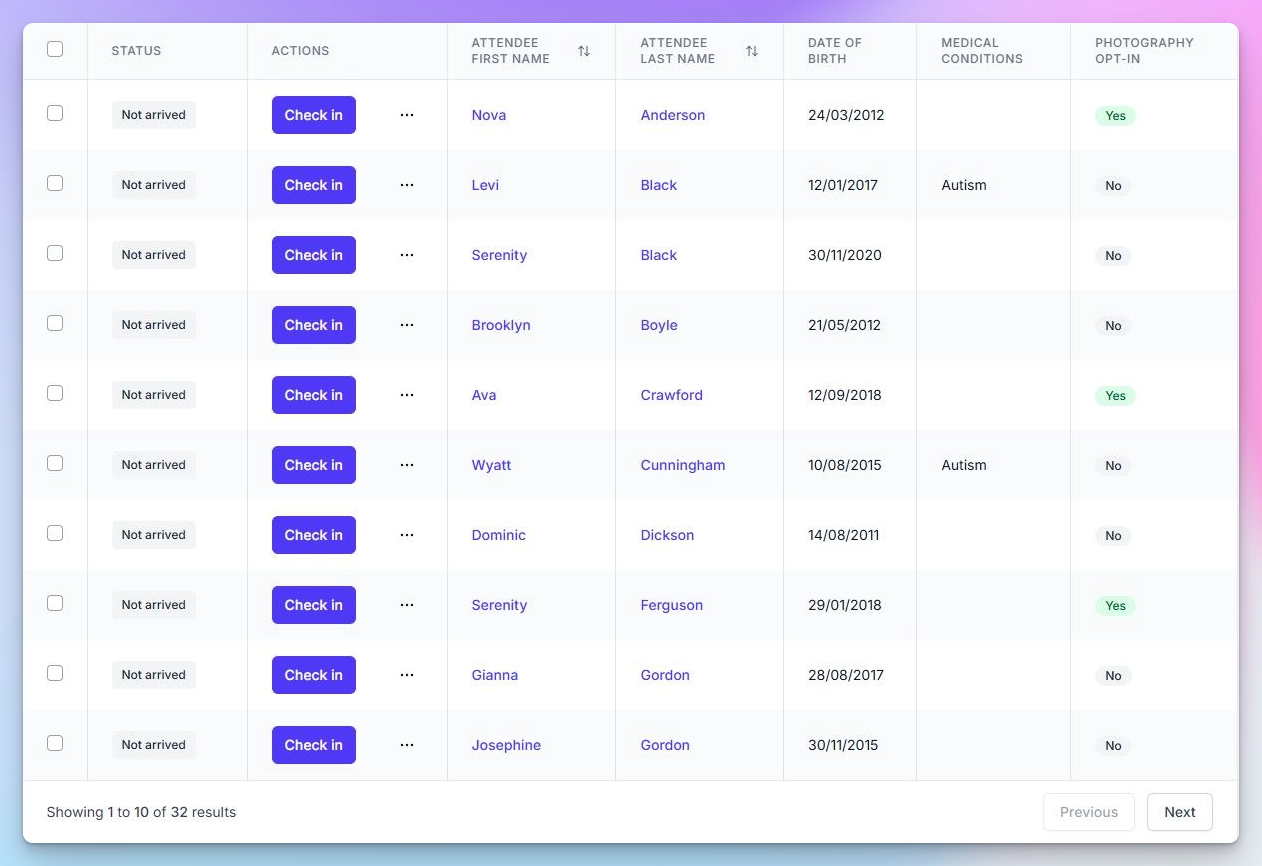
- Attendance rosters you take in the browser on a phone or tablet, with medical notes, allergies and authorized pickups on the same screen and PDF or CSV export
- Term, half-term, multi-day camp session, session pass and drop-in enrollment side by side, billed upfront, monthly or weekly, with pro-rating when a family joins part way through
- Stackable discounts, including a sibling saver, multi-purchase discounts and codes with date or minimum-spend limits
- Customizable registration forms, waivers, waitlists on Premium, a self-service customer portal and bulk email to everyone on a session
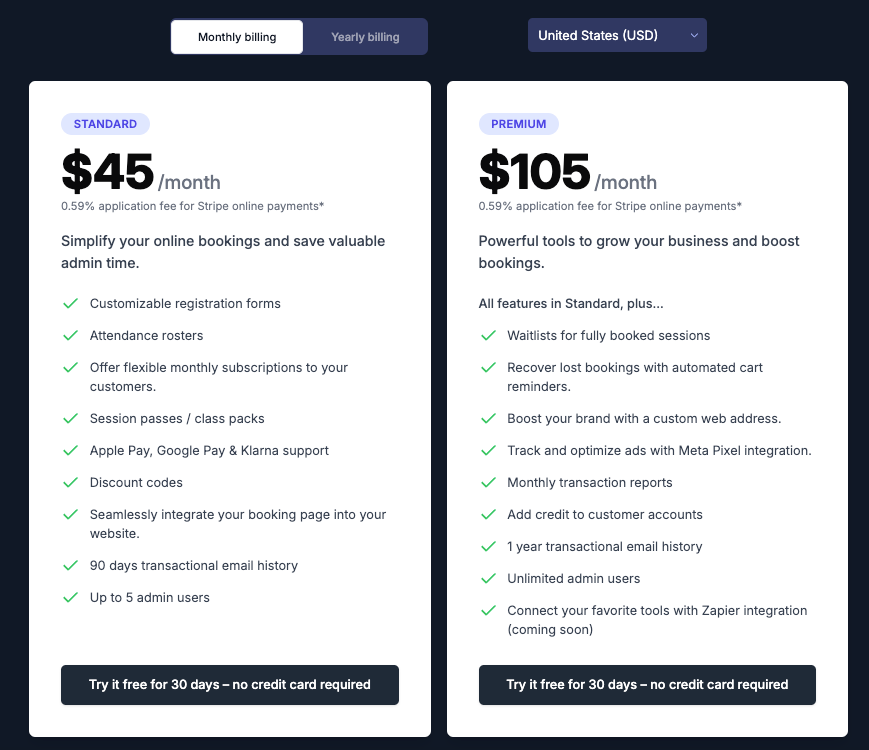
Pricing: Standard is $45/month and Premium is $105/month, flat whatever your enrollment volume. Annual billing costs ten months rather than twelve. Card and ACH payments run through Stripe with our 0.59% application fee on top of Stripe's own fees, and we never take a percentage of your program revenue. The free trial is 30 days and needs no card. Full detail sits on our pricing page. Pricing checked August 2026.
How it compares to Jumbula: we beat it on the two things reviewers complain about most. Ease of use scores 4.9 with our reviewers against Jumbula's 4.3, and the roster is a working screen rather than a report you export. Flat pricing means growth does not trigger a price band, and family accounts save details across seasons by default. Where Jumbula still wins: it is cheaper to start at $15, it has 127 reviews to our 23, it offers nonprofit and district discounts we do not match, and it has K-12 and district workflows plus a parent-facing app that we do not offer.
Pros:
- Flat price with no per-enrollment fee and no cut of your program revenue
- Capterra reviewers score us 4.9 for ease of use, 5.0 for value for money and 5.0 for customer service
- Camps, after-school care and weekly classes coexist in one account, so a single system covers the school year and the summer
- Reviewers repeatedly mention same-day support replies and say we "understand how schools operate"
Cons:
- 23 reviews is a small base next to Jumbula's 127, and we publish this article, so weigh both accordingly
- No native mobile app. Staff run the roster in the mobile browser and parents use the browser portal, where Jumbula has the My Jumbula app
- Some features are hard to find without asking support, waitlists are Premium-only, and our integrations list is shorter than the established incumbents here
- No nonprofit or school-district pricing program, and no K-12 district reporting
Migration from Jumbula: hands-on rather than automatic. You export families, participants and program data from Jumbula as CSV, and we help you rebuild your programs inside the 30-day trial so you can run both systems in parallel before cutover. No vendor in this field offers a native Jumbula importer, so the program rebuild is manual wherever you go. We would rather say that than promise a one-click import.
What users say: we hold 4.9 out of 5 across 23 Capterra reviews, all of them positive, with features at 4.7. The consistent themes are quick setup, fast support and less evening admin. The repeat complaint is the missing customer app.
Verdict: the strongest fit for a camp or after-school program leaving Jumbula because of daily admin friction or the enrollment cliff. If your reason for leaving is a missing K-12 district workflow or nonprofit pricing, one of the entries below or staying put will serve you better.
#2. Sawyer, best for kids' enrichment providers who want marketplace discovery
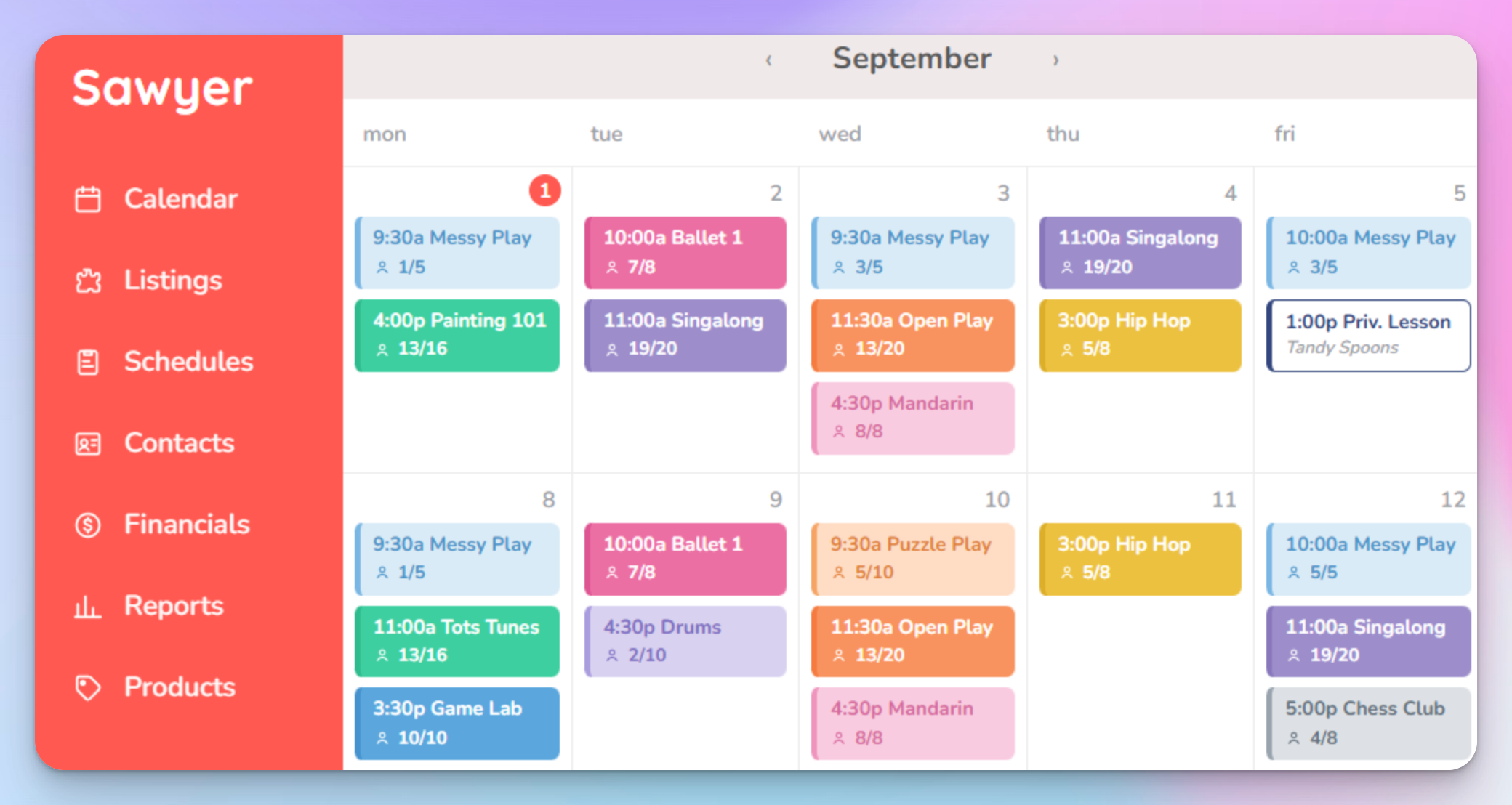
Sawyer is registration and class management for children's activity businesses, with a consumer marketplace attached. It fits the Jumbula user whose real problem is a dated parent experience and an empty roster rather than internal admin.
Best for: enrichment providers, studios and camps that want a polished parent-facing experience plus a distribution channel that brings new families in.
Key features:
- Online registration and class scheduling for weekly classes, camps and multi-session programs
- Payments and billing with attendance tracking and waitlists
- Parent portal and family communication tools
- Multi-location support for providers running more than one site
- A consumer marketplace listing that puts your classes in front of parents already searching
- Integrations with Stripe, Mailchimp, QuickBooks and Slack
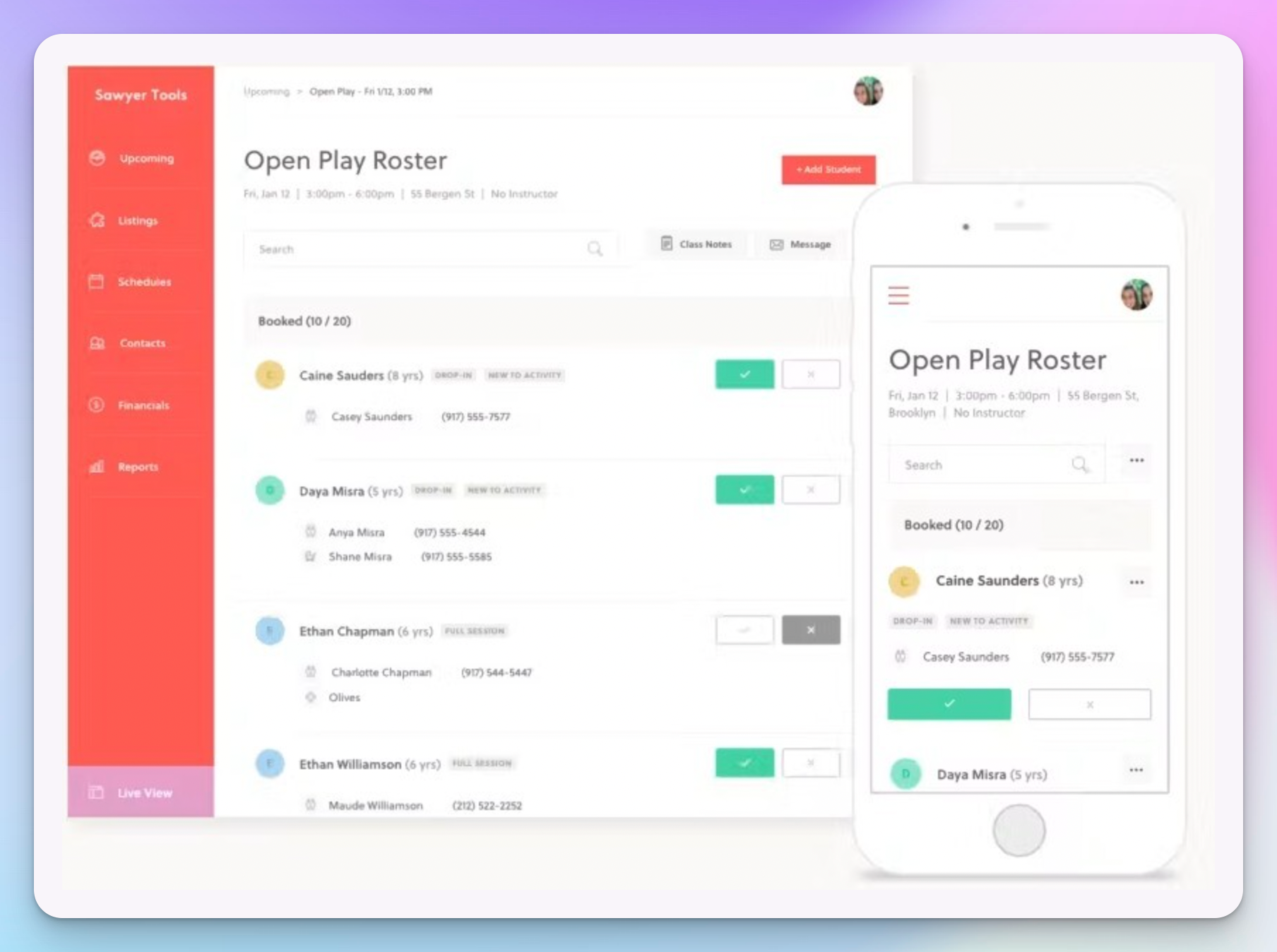
Pricing: Capterra lists Launch at $129/month, with Grow, Scale and Enterprise tiers above it running to around $399/month. Sawyer's own help center and Capterra do not agree on the Grow figure, so confirm current numbers before you commit. The marketplace listing itself is free but carries a fee of roughly 15% to 30% on purchases it sources, depending on tier, and new Launch customers are reported to get 3% processing in year one. A 14-day trial is reported. Pricing checked August 2026.
How it compares to Jumbula: the parent-facing side is cleaner and more consumer-grade than Jumbula's portal, which speaks directly to the re-entry and "clunky for customers" complaints. The marketplace is something Jumbula does not do at all, so it is the only tool here that can also fill your classes. It costs eight times Jumbula's entry price, though, and its own reviewers report glitches, so you are not trading up on stability.
Pros:
- The second-largest review base in this field at 319, with customer service scoring 4.6
- Reviewers consistently describe responsive support and streamlined daily operations
- Straightforward initial setup compared with the heavier systems here
- The marketplace is a genuine growth channel, not just another listing page
Cons:
- Recurring technical glitches are the single most negative theme in its reviews
- Features score 4.1 and ease of use 4.2, both below its overall rating
- Expensive relative to competitors, a frequent reviewer comment
- Limited customization of accounting exports
- Marketplace fees of 15% to 30% on sourced purchases change the economics if that channel works well
Migration from Jumbula: moderate. CSV import of families is supported and the data model is familiar, but the program rebuild is manual and there is no Jumbula-specific tooling. Budget a season for it.
What users say: 4.5 out of 5 from 319 Capterra reviews, with value at 4.4. Praise centers on support and day-to-day time savings; the complaints are price and reliability.
Verdict: the right pick if you are leaving Jumbula because parents find it awkward and you also want more of them. Less compelling if your problem is internal admin, since reviewers report their own share of glitches. If it comes down to Sawyer or us, our Pembee and Sawyer comparison sets the two side by side.
#3. CourseStorm, best for schools, community ed and nonprofits wanting the simplest admin
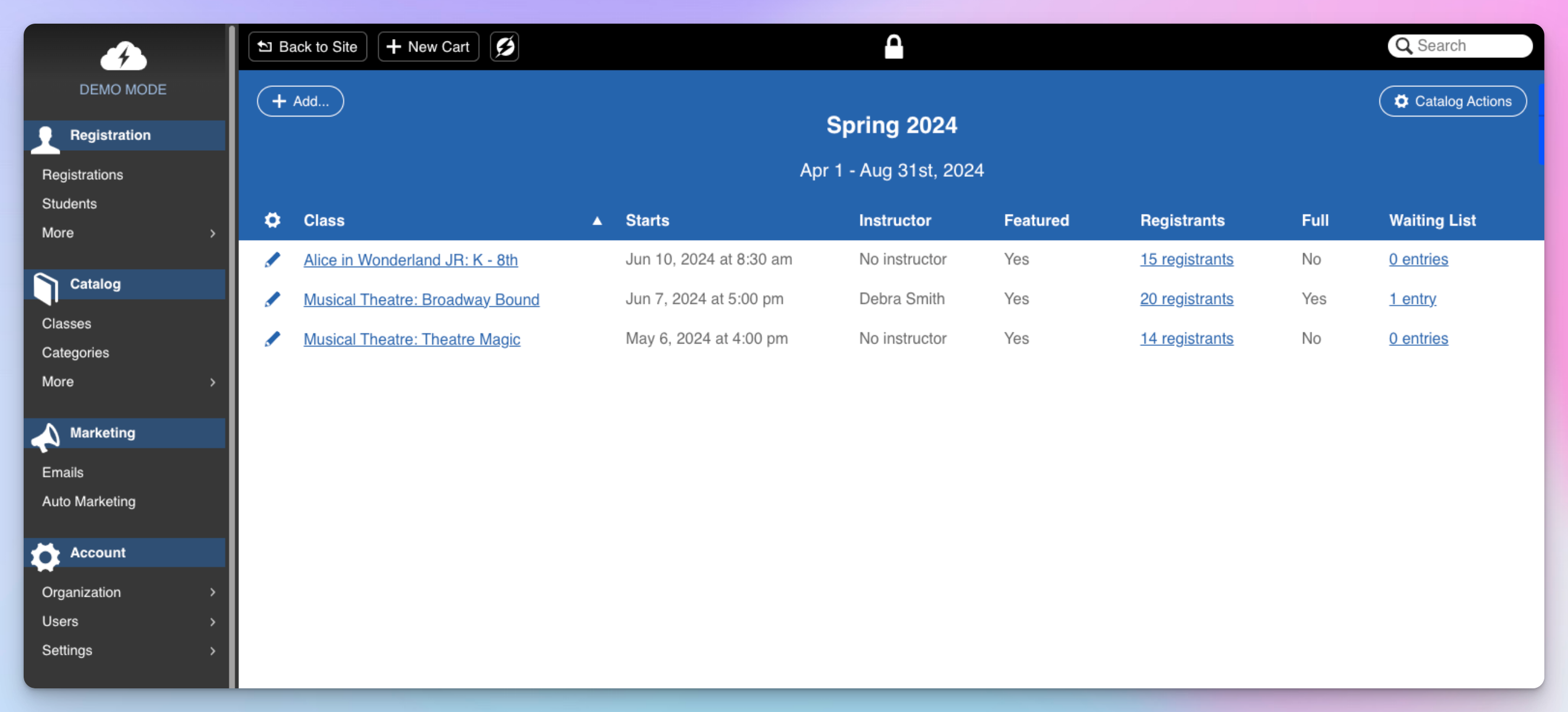
CourseStorm is registration software for community education, schools and nonprofits, and its whole design argument is that there is less of it. That makes it the most direct answer to the "clunky and unintuitive" theme in Jumbula's reviews.
Best for: community ed programs, school-run enrichment and nonprofits that want registration handled without a system to administer.
Key features:
- Class registration and scheduling with rosters and waitlists
- Card and ACH payments, so families paying by bank transfer are not an exception
- Customizable registration forms that stay short for the parent filling them in
- Email marketing and automated communications built in rather than bolted on
- AI-assisted reporting for enrollment and revenue questions
- Onboarding support that reviewers single out as a strength

Pricing: Starter is $99/month billed annually, plus $2.49 per registration. Core is $169, Pro is $269 and All Access is $399, with the per-registration fee applying throughout. There is no free trial. Pricing checked August 2026.
How it compares to Jumbula: it is the easier system to run, and it is aimed squarely at the schools, community ed and nonprofit buyers who make up a large slice of Jumbula's base. The trade-off is scope and cost shape. You give up Jumbula's camp-session depth and its template-driven program setup, and the per-registration fee means a busy season costs you more, which is the opposite of what you get from a flat plan.
Pros:
- Reviewers describe it as easy to set up and easy to maintain, with a short learning curve
- Support is repeatedly called responsive and friendly
- Registration, payments and email marketing in one place without extra configuration
- ACH support suits nonprofits and school programs collecting larger fees
Cons:
- The $2.49 per-registration fee stacks up fast once volume climbs
- Limited branding and workflow customization compared with the heavier platforms here
- Documentation gaps come up in reviews
- No free trial, so you commit before you test
- 35 reviews is a small base, so treat the rating as soft signal
Migration from Jumbula: the lightest rebuild in this field. The data model is simple, setup is short and onboarding support is a noted strength, so a season's programs can be rebuilt quickly. Confirm your import options with their team.
What users say: 4.5 out of 5 from 35 Capterra reviews. The pattern is consistent even at that volume: easy to set up, easy to maintain, good support, thin on customization.
Verdict: the pick if the sentence "I just want registrations to arrive and stop thinking about the software" describes you. Do the math on the per-registration fee first, because at a few hundred enrollments a season it is the deciding number.
#4. iClassPro, best for established gym, swim and dance schools
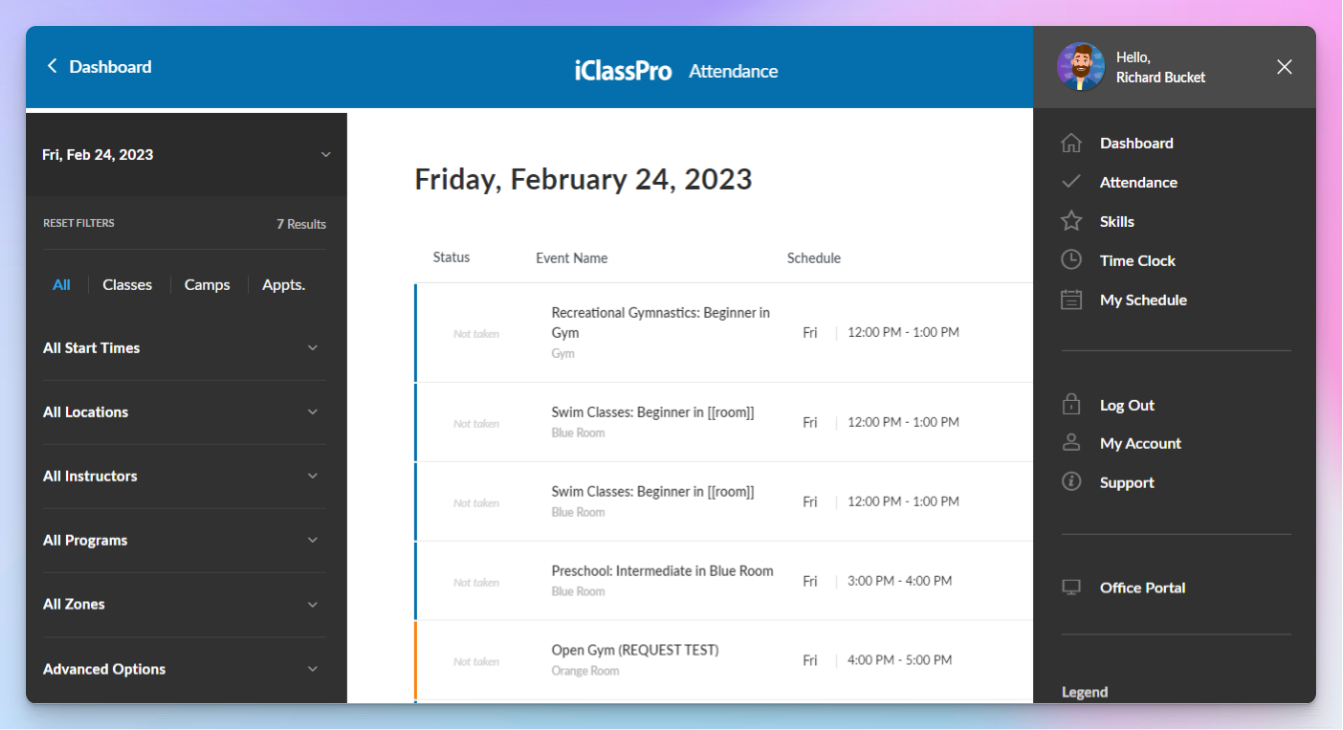
iClassPro is class management for skills-based schools, and it has the largest review base in this field at 477. It suits the Jumbula user whose programs have graduated into levels, make-ups and progression tracking.
Best for: established gymnastics, swim, cheer and dance schools that need skill tracking, make-up classes and deeper billing than a registration tool provides.
Key features:
- Class scheduling and enrollment with attendance and make-up management
- Skill tracking and evaluation per student, with progression records
- Billing and invoicing with family-level account balances
- Staff scheduling alongside the class calendar
- Parent portal plus a parent mobile app and point of sale
- Appointments and marketing communications in the same system
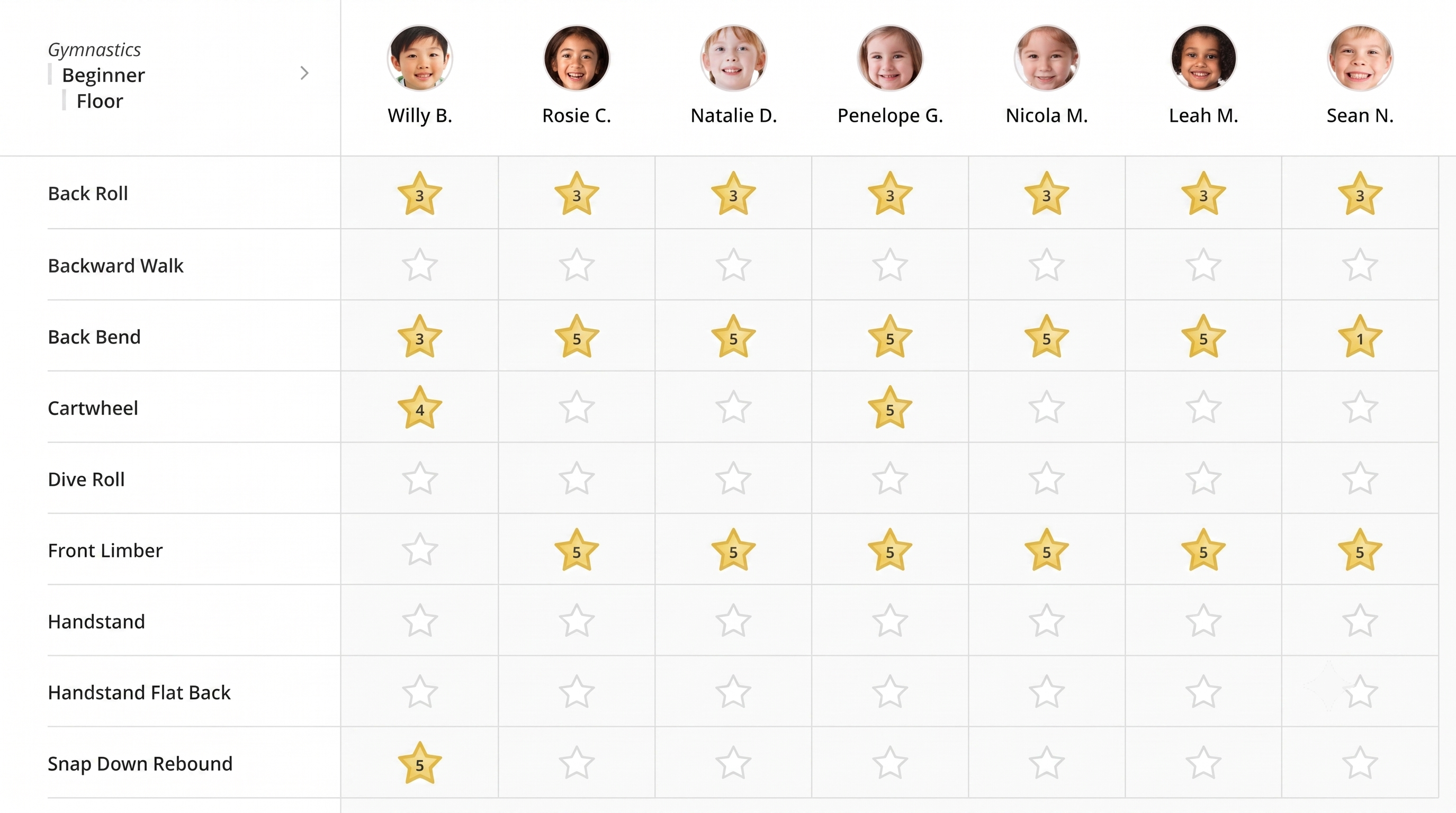
Pricing: Signature is $139/month, Elite is $199 and Premium is $299. A free trial is available. Pricing checked August 2026.
How it compares to Jumbula: it goes deeper on almost every operational dimension, with stronger roster, make-up, skill-tracking and billing tooling, and a review base nearly four times the size. It is also a heavier system to run and its payment processing is comparatively restrictive, which is a real risk if you are leaving Jumbula partly over billing. Check processor compatibility before you sign.
Pros:
- 477 Capterra reviews, the deepest evidence base in this comparison
- Online enrollment draws 97% positive sentiment among reviewers
- Staff scheduling is repeatedly described as efficient
- Support is responsive, and skill tracking has no equivalent in Jumbula
Cons:
- Recurring software glitches and delays in reviews
- Reporting is described as limited and confusing
- Payment processing draws 63% negative sentiment, called expensive and restrictive
- More setup effort than Jumbula, and more system than a pure camp operator needs
Migration from Jumbula: moderate to heavy. There is more to configure than Jumbula asks for, and the payment processing question needs answering before you start. Plan for a proper implementation rather than a weekend rebuild.
What users say: 4.5 out of 5 from 477 Capterra reviews, with 289 five-star and only five at two stars or below. Enrollment and support draw praise; glitches, reporting and payment processing draw the complaints.
Verdict: the right move if your programs are skill-based and you have outgrown registration software. We rank it against the other gym-specific systems in our roundup of the best gymnastics management software. If you run camps and after-school sessions with no levels or evaluations, you are paying for depth you will not use.
#5. Enrollsy, best for enrollment-heavy after-school and care programs
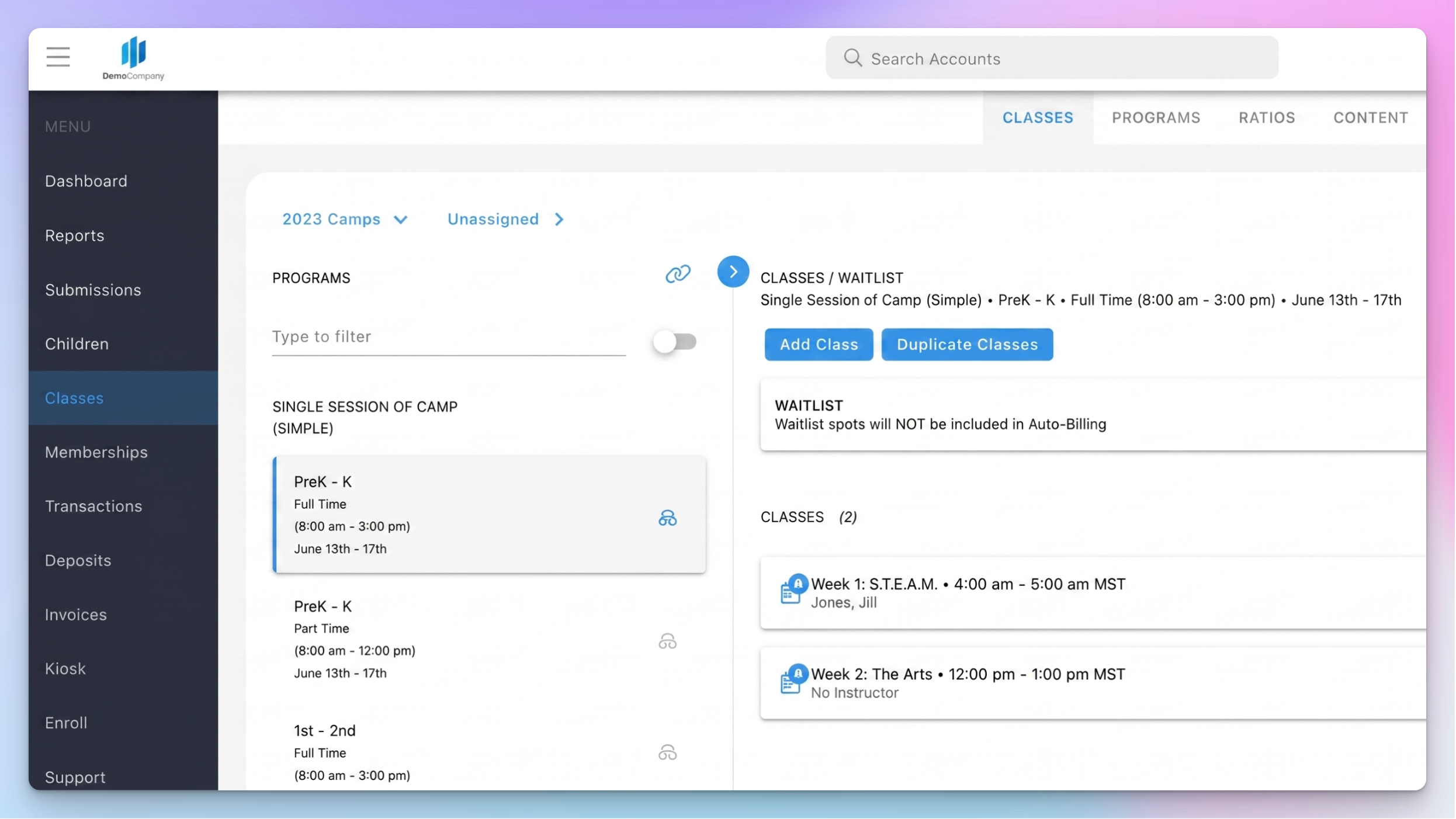
Enrollsy is enrollment, billing and family messaging in a single flow, aimed at after-school and care programs. It answers the Jumbula complaints about billing rigidity and inconsistent onboarding more directly than anything else here.
Best for: after-school programs and care providers with high enrollment volume that need payment plans and family texting as first-class features.
Key features:
- Online registration and class management with customizable enrollment forms
- Card and ACH payments with payment plans built in rather than configured around
- Built-in SMS to families, included in the plan allowance
- Check-in and check-out with real-time reporting
- Waitlists and parent and student portals
- Guided onboarding, paid for through the setup fee

Pricing: Starter is $129/month with one admin, up to 60 enrollees, 500 texts a month and a $199 setup fee. Pro is $179/month with two admins, up to 800 enrollees, 1,000 texts and a $299 setup fee. Enterprise is custom with six admins and unlimited enrollees. There is no free trial. Pricing checked August 2026.
How it compares to Jumbula: enrollment, attendance, payment plans and family messaging sit in one flow, and the guided onboarding is a direct answer to the disorganized-onboarding complaints in Jumbula's reviews. The catch is the shape of the pricing. Enrollsy caps enrollees per tier, so it swaps Jumbula's enrollment cliff for a different one, and with no free trial you commit before you test.
Pros:
- Reviewers describe registration as user-friendly and the system as comprehensive and well organized
- Implementation is fast and support is repeatedly called responsive
- Built-in SMS removes a separate texting tool from your stack
- Payment plans and ACH are standard rather than add-ons
Cons:
- Enrollee caps per tier, at 60 on Starter and 800 on Pro
- A $199 to $299 setup fee on top of the subscription
- No free trial at all
- Reviewers report a steep backend learning curve and customization that can feel overwhelming
- Less customizable than the pricier platforms here, and 32 reviews is a small base
Migration from Jumbula: moderate, and guided. Onboarding is hands-on and paid for through the setup fee, which is a real advantage if a bad Jumbula onboarding is part of why you are leaving. Without a trial, though, you cannot rehearse the switch first.
What users say: 5.0 out of 5 from 32 Capterra reviews, 31 of them five-star. That is a very small base, so read it as encouraging rather than settled. Praise centers on support and organization; the learning curve is the recurring caveat.
Verdict: a strong fit for an after-school or childcare operation that runs on payment plans and texts families constantly. Check the enrollee cap against your busiest season before you sign, because that is what determines your real price.
#6. FunJoin, best for camps that run on mobile check-in
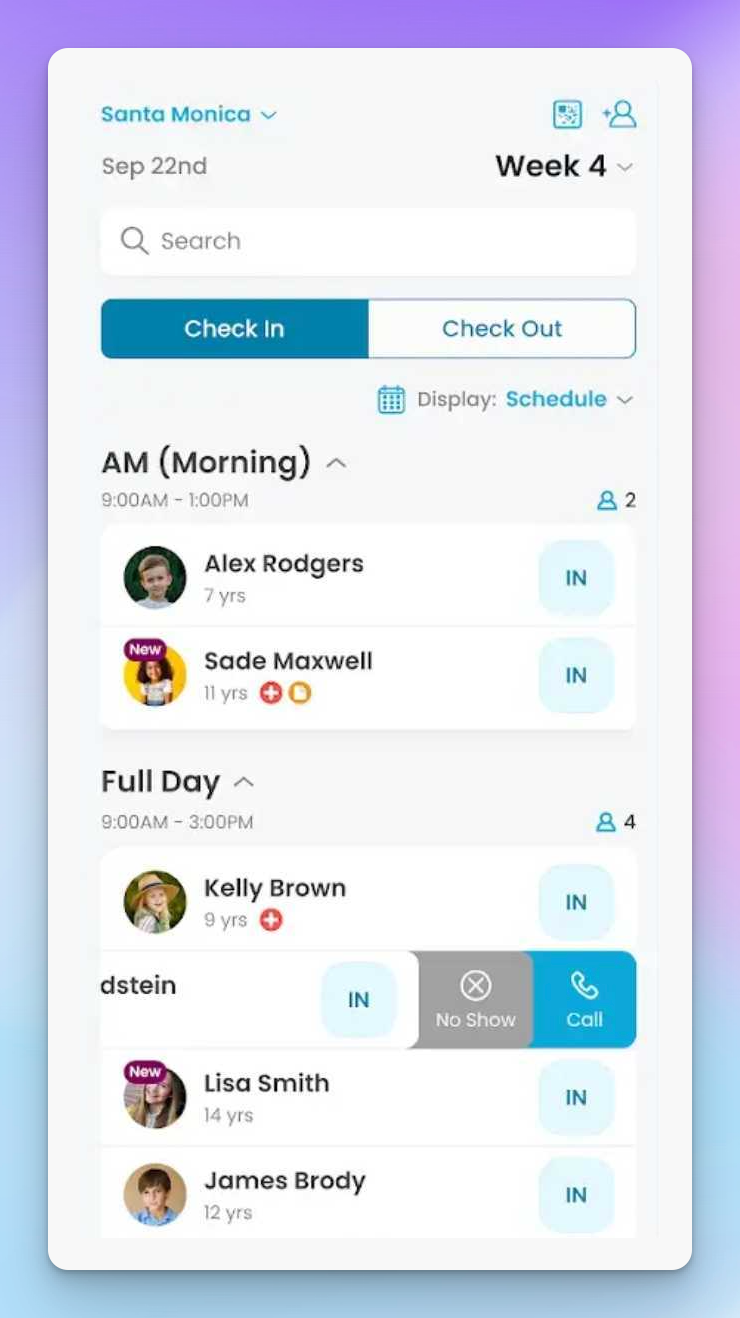
FunJoin is camp management built by camp operators, with mobile check-in and staff workflows as the center of the product rather than an add-on. It targets the Jumbula complaint about attendance almost exactly.
Best for: day camps and multi-week summer programs where the daily job is getting hundreds of children checked in, grouped and collected safely.
Key features:
- Online registration with customizable forms
- Self check-in and check-out attendance designed for a tablet at the door
- Billing and invoicing with payments
- Parent portal with real-time notifications
- Staff mobile app for group rosters and daily operations
- Zapier, Twilio and SignNow integrations
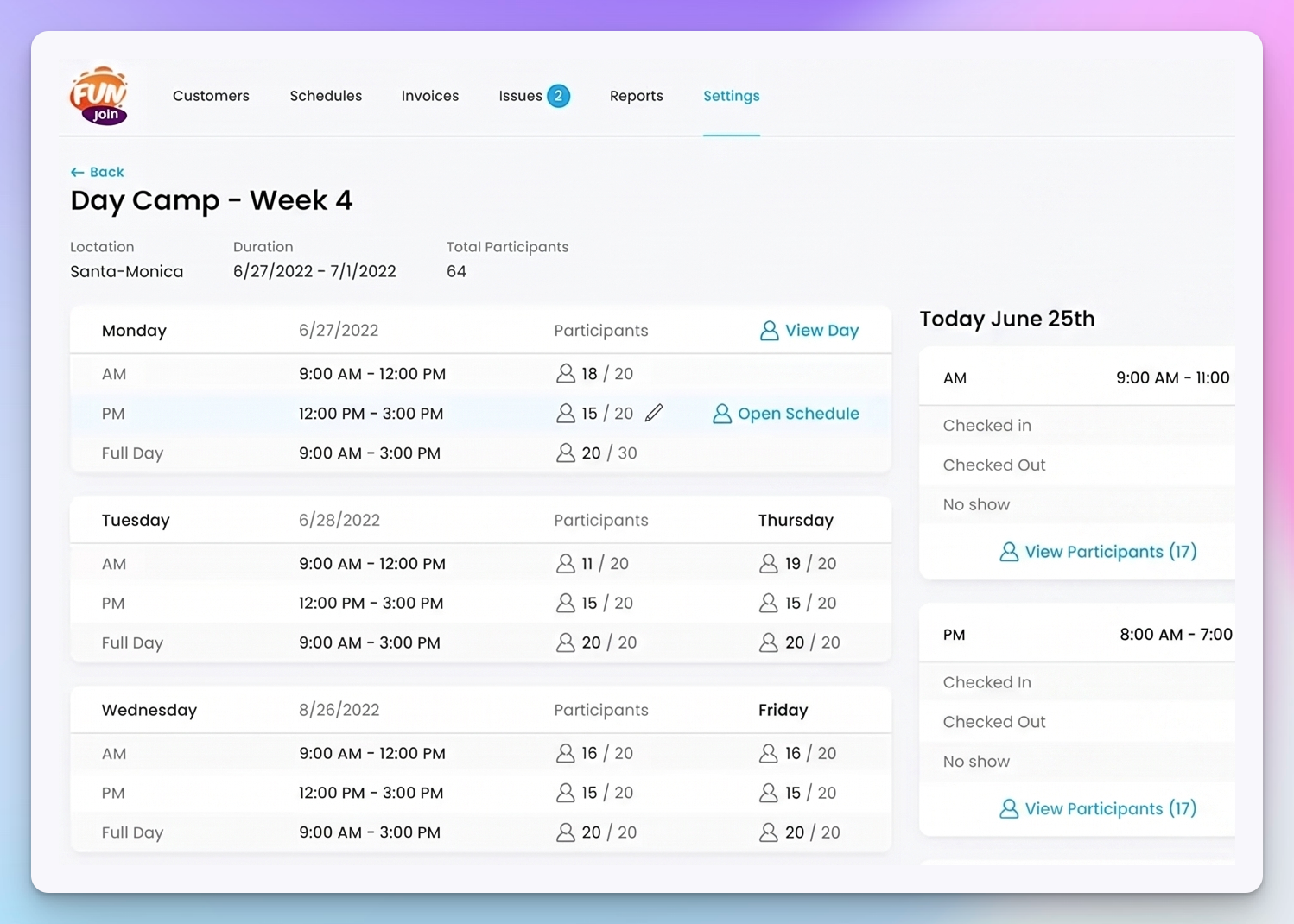
Pricing: Micro is $249/month billed annually or $329/month billed monthly. Business is $349/month annually or $429/month monthly. Larger operations are quoted. There is no free trial. Pricing checked August 2026.
How it compares to Jumbula: the daily camp operation is the whole product rather than one module of a registration system, so the attendance and staff workflows that Jumbula reviewers describe as painful are the parts FunJoin has spent its effort on. It is also the most expensive entry price in this comparison at more than sixteen times Jumbula's, with no trial and no route to test it cheaply first.
Pros:
- Reviewers describe it as easy and intuitive, with meaningful admin time savings
- Mobile-friendly by design rather than as a companion app
- Support is praised consistently
- Built by camp operators, which reviewers say shows in the workflow decisions
Cons:
- Setup and onboarding are time-intensive according to reviewers
- No free trial and a high entry price, so the commitment is real before you know it fits
- Limited email design customization
- A learning curve for both staff and families
- 21 reviews is the smallest base here, so the 5.0 rating is early signal only
Migration from Jumbula: moderate, with guided onboarding, but reviewers say the setup itself takes time and there is no trial to rehearse in. Start well before your registration window opens.
What users say: 5.0 out of 5 from 21 Capterra reviews. Reviewers repeatedly mention time saved on daily admin and support that understands camp operations. Treat 21 reviews as a soft signal, not a verdict.
Verdict: worth the price if your summer is defined by check-in volume and staff coordination. If registration and billing are the harder parts of your year, the money is better spent elsewhere.
#7. Amilia SmartRec, best for parks, rec and multi-department organizations
SmartRec is registration and membership software for community organizations: YMCAs, JCCs, community centers, parks and recreation departments. It is the answer for a Jumbula user who has outgrown a single-program tool.
Best for: multi-department organizations that run programs, memberships and facility rentals from one system across several sites.
Key features:
- Registration management with a member database across departments
- Online class registration and self-serve accounts for families
- Memberships with automatic renewal
- Facility booking and rentals alongside program registration
- Staff scheduling and financial reporting
- Multi-location management under one organization
Pricing: the Standard plan is listed at CA$99/month and Advanced at CA$499/month, with custom pricing for large organizations. Those figures are quoted in Canadian dollars, which works out at roughly $70 to $75 for Standard at recent exchange rates, so budget accordingly. A free trial is available. Pricing checked August 2026.
How it compares to Jumbula: it handles the multi-department and municipal operations that Jumbula only quotes for at Enterprise level, and memberships and facility rentals are native rather than improvised. Against that, it carries the lowest rating in this field at 4.3, reviewers say payouts take seven to eight days rather than one to two, and it is more system than a single after-school program needs.
Pros:
- Support responsiveness is the standout theme in its reviews
- Self-serve registration works well for families and for staff
- Multi-location and multi-department management is native
- Memberships with auto-renewal alongside program registration
Cons:
- The lowest Capterra rating of the eight tools here at 4.3 from 148 reviews
- Expensive for small organizations
- Payouts reportedly take seven to eight days against one to two elsewhere, which is a cash-flow issue for seasonal programs
- Limited workflow customization and a steep learning curve for advanced administration
- Pricing published in Canadian dollars, so your real cost moves with the exchange rate
Migration from Jumbula: heavy. This is built for larger organizations and expects a genuine implementation project with staff training, not a rebuild between seasons.
What users say: 4.3 out of 5 from 148 Capterra reviews, with 77 five-star and five at two stars or below. Support and multi-location management get the praise; cost, payout timing and the learning curve get the complaints.
Verdict: the right call only if you have genuinely outgrown program registration and now run departments. For a single camp or after-school operation it is more weight than the job needs.
When Jumbula is still the right choice
If you run a small or seasonal program and price is the binding constraint, $15/month for 10 enrollments is the cheapest entry here by a distance, and value for money is Jumbula's strongest score at 4.8. If you are a nonprofit or a school district, the 20% nonprofit discount, the extra 5% for annual payment and real K-12 workflows are a combination nothing else matches. If the budget itself is the problem, our guide to grants for afterschool programs will do more for you than a software switch. If you have years of custom forms, waivers and program templates configured, the rebuild cost is real and no alternative imports it for you. And if you moved off spreadsheets last season, the friction above is a small tax on a large gain.
Which Jumbula alternative should you choose?
For most camps and after-school programs leaving Jumbula, we are the strongest replacement: flat pricing that does not move with enrollment volume, family accounts that save details across seasons, and a roster you run the session from rather than export. The specialists each win on one need. Sawyer if you want the marketplace to fill your classes, CourseStorm if the goal is the least software possible, iClassPro if your programs run on skill levels, Enrollsy if payment plans and texting are the day, FunJoin if check-in volume is, and SmartRec if you now run departments. And if you are a small nonprofit paying $15 a month and it works, staying is a good answer. See our solutions for activity providers.